Power BI Semantic Models Explained: Complete Beginner to Enterprise Guide
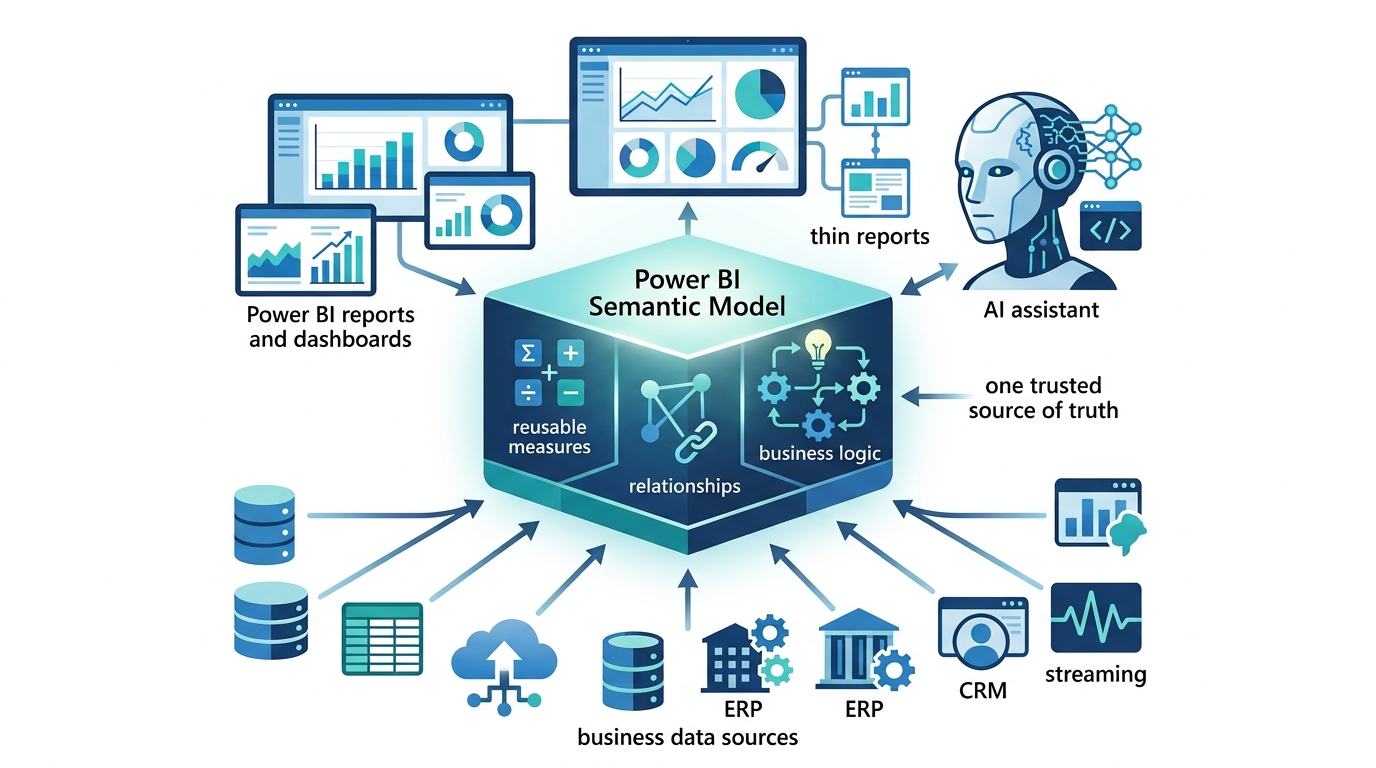
Power BI Semantic Model acting as a shared data-and-logic layer that powers multiple reports, dashboards, thin reports, and AI with consistent business logic

Almost everything you build in Power BI ultimately rests on one thing: the semantic model. Every report, every dashboard, and increasingly every Copilot answer draws its numbers and its business logic from a semantic model underneath. Therefore, if you want to move from building one-off reports to building trusted, enterprise-wide analytics, you first need to … Read more

Direct Lake Explained: The Complete Guide to Microsoft’s Fastest Power BI Storage Mode

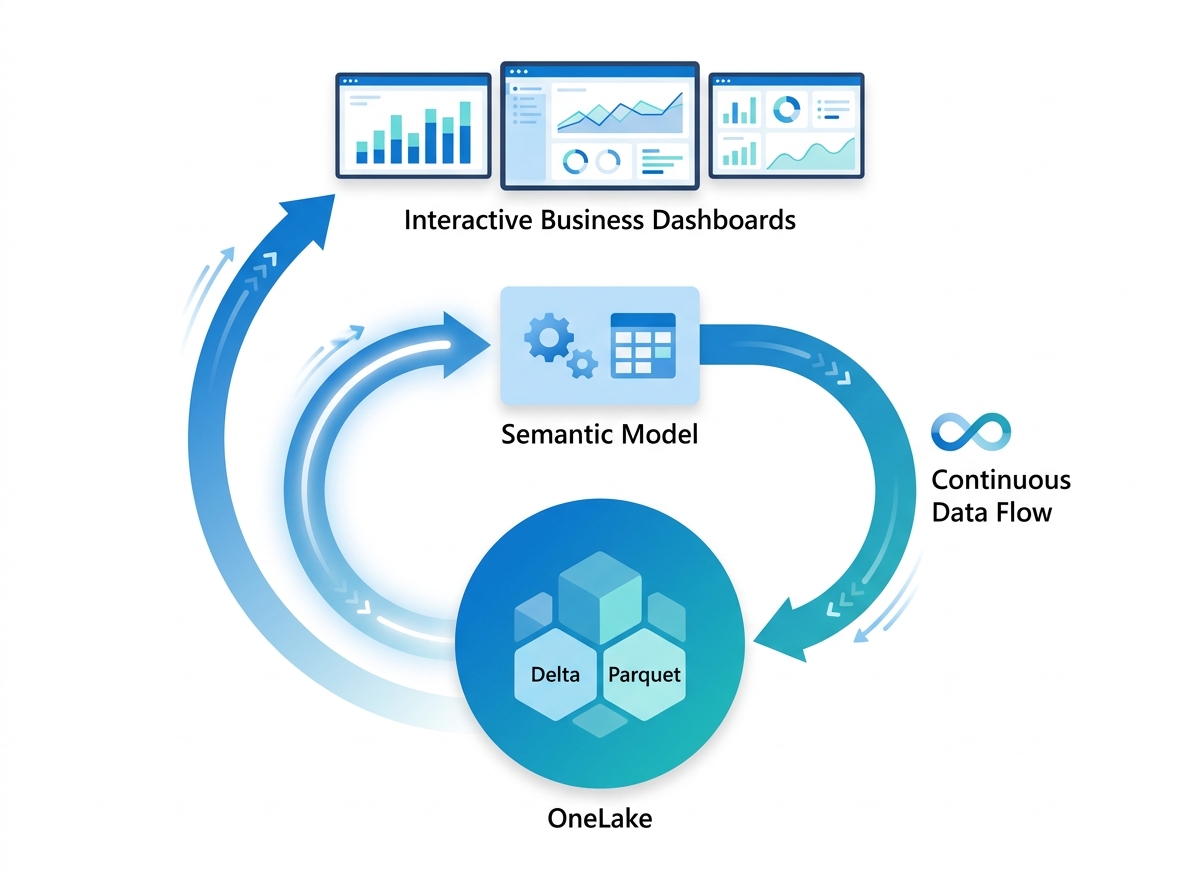
Power BI Direct Lake reading Delta Parquet data directly from OneLake through a semantic model without duplicated data or scheduled refresh.

For years, Power BI developers faced a frustrating trade-off. Import mode gave you blazing speed, but only on a copied snapshot that you had to refresh on a schedule. DirectQuery gave you live data, yet it often ran slowly because every query hit the source system. Direct Lake finally breaks this trade-off. Because it reads … Read more

OneLake Explained: The Complete Guide to Microsoft Fabric’s Unified Data

Microsoft OneLake providing a unified data lake that enables Power BI, Fabric workloads, and enterprise departments to share one governed copy of data.

If Microsoft Fabric is the unified analytics platform, OneLake is the ground it stands on. Every workload in Fabric, reporting, engineering, warehousing, data science, and real-time analytics, reads and writes the same data through OneLake, which is why Microsoft calls it “The OneDrive for data.” Understanding OneLake is the key to understanding why Fabric works … Read more

Microsoft Fabric Explained: Complete Guide to the Unified Analytics Platform

Microsoft Fabric unified analytics platform connecting OneLake, Power BI, Data Factory, Data Engineering, Data Science, Data Warehouse, and Real-Time Intelligence in a single cloud ecosystem.

For years, building a complete analytics solution meant stitching together separate products: one tool to move data, another to store it, another to transform it, another for data science, another for the warehouse, and Power BI at the end for reporting. Each had its own service, its own copies of the data, its own bill, … Read more

Power BI Performance Optimization: The Complete Guide to Faster Reports

If a report takes 35 seconds to load, people stop opening it. The data might be accurate, the visuals well-designed, the insights truly valuable, but if an executive clicks on a dashboard and just keeps staring at spinning circles, confidence drops with every second. Performance isn’t just a technical feature; it determines whether all the … Read more

Power BI Deployment Pipelines Explained: A Complete Guide to Dev, Test and Production

Power BI Deployment Pipelines showing Development, Test, and Production workspaces connected through a secure and governed analytics deployment process.

Imagine editing a live report while the hospital’s executive team is looking at it. You change a measure, a visual breaks, and suddenly the dashboard the chief operating officer relies on is showing errors, in front of everyone. This is the everyday risk of editing production content directly, and it is exactly the risk that … Read more

Power BI Row Level Security (RLS) Explained: Secure Data for Every User

Power BI Row-Level Security allowing multiple users to securely access the same report while viewing only the data they are authorized to see.

A single Power BI report can serve an entire organization, and yet show each person only the data they are permitted to see. A regional manager opens the sales report and sees only their region. A hospital ICU manager opens the operations report and sees only ICU data. The chief executive opens the same report … Read more

Power BI Incremental Refresh Explained: Faster Refreshes for Large Datasets

Power BI Incremental Refresh updating only the newest data partition in a large enterprise dataset to improve refresh performance and scalability.

Every night, a dataset refresh runs. It reconnects to the source, pulls the data, and reloads it into Power BI so the morning’s reports are current. For a small dataset, this takes seconds. But when a hospital holds ten years of maintenance records, or a retailer holds hundreds of millions of transactions, reloading everything every … Read more