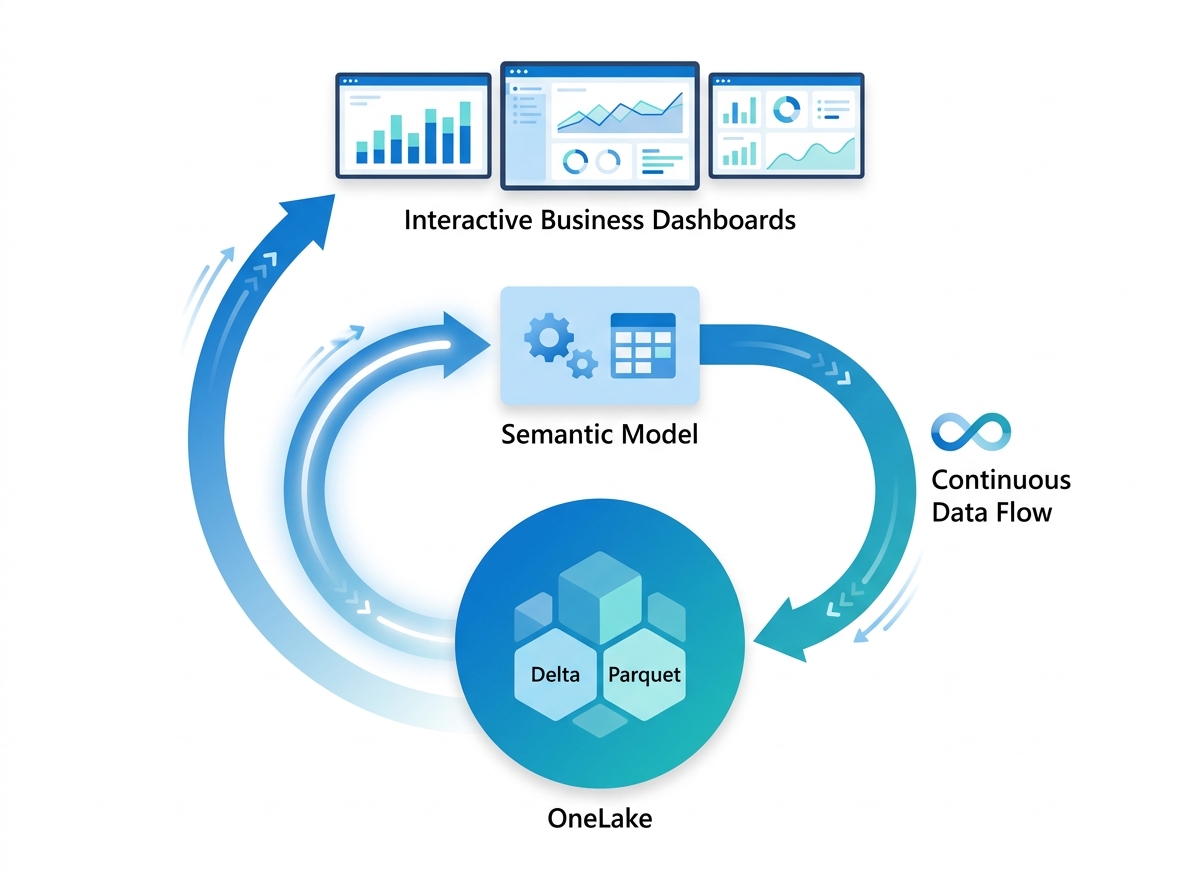
For years, Power BI developers faced a frustrating trade-off. Import mode gave you blazing speed, but only on a copied snapshot that you had to refresh on a schedule. DirectQuery gave you live data, yet it often ran slowly because every query hit the source system. Direct Lake finally breaks this trade-off. Because it reads data straight from OneLake, it delivers Import-like speed while keeping your reports fresh, and it does so without a scheduled refresh. Therefore, if you already understand Power BI, Fabric, and OneLake, Direct Lake is the piece that ties the performance story together.
Key Takeaways
- Direct Lake is a Power BI semantic model storage mode that reads Delta Parquet data directly from OneLake, so it needs no data copy and no scheduled refresh.
- It combines the query speed of Import mode with the freshness of DirectQuery, because Power BI’s VertiPaq engine serves the data from memory while pointing at live OneLake files.
- Direct Lake loads only the columns a query needs, on demand, through a process Microsoft calls transcoding, and it keeps the model aligned to the latest data through framing.
- It requires Microsoft Fabric and data stored in OneLake, so it is not a drop-in feature for classic Power BI Pro workspaces.
- In some cases a query can fall back to DirectQuery, which returns correct results but runs slower, so good capacity sizing and model design matter.
This article continues the Zytriona Microsoft Fabric journey: Power BI to Fabric to OneLake to Direct Lake. If you have not yet read the OneLake guide, start there, because Direct Lake builds directly on it.
What Is Direct Lake?
Direct Lake is a storage mode for Power BI semantic models that reads data directly from Delta Parquet tables in OneLake. Instead of copying data into the model or querying a source database on every interaction, Direct Lake loads the data it needs straight from OneLake into memory. As a result, it gives you fast reports on current data without a refresh schedule.
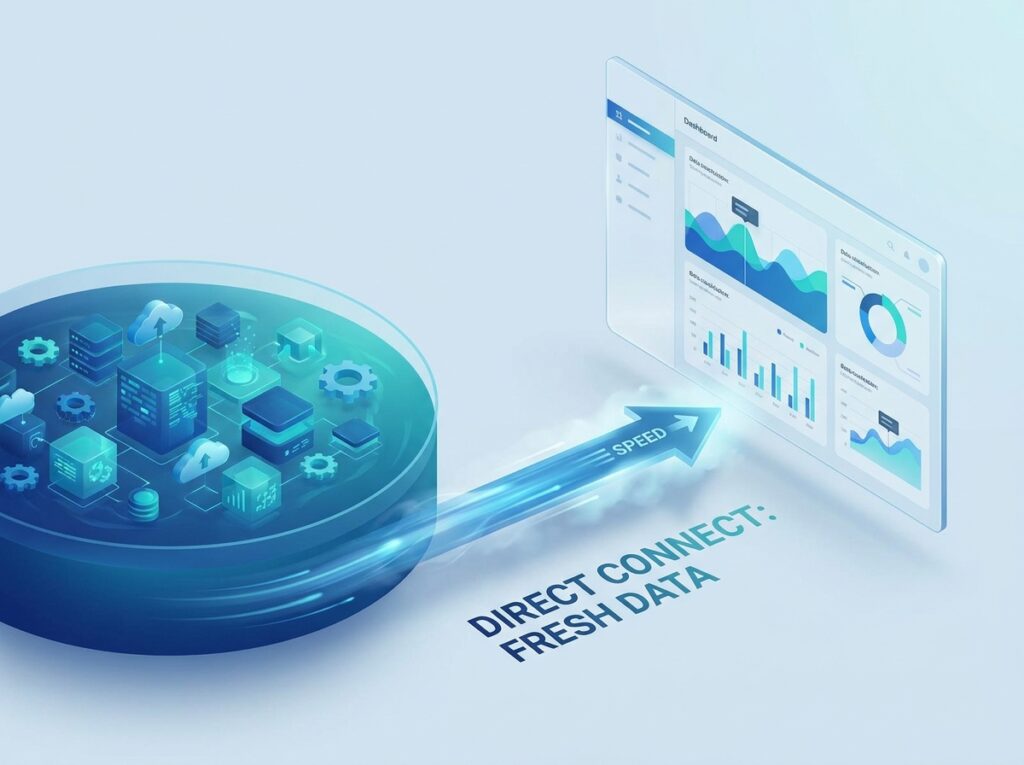
To put it simply, Direct Lake is the storage mode that Microsoft designed specifically for Fabric. Power BI has always offered several storage modes, which decide how a model stores and reads its data. Import and DirectQuery came first, and each solved one problem while creating another. Direct Lake, by contrast, arrived with Fabric to take advantage of OneLake’s open format. Consequently, it represents Microsoft’s answer to a question analysts had asked for years: can we finally get both speed and freshness at once?
Why Microsoft Created Direct Lake
Microsoft created Direct Lake to end the old choice between speed and freshness. For a long time, developers had to pick a side. If they chose Import mode, they accepted stale data between refreshes. If they chose DirectQuery, they accepted slower reports and heavier load on the source. Neither option felt ideal, especially at enterprise scale.
Moreover, Import mode duplicated data. Every model copied its data into Power BI, which meant millions of rows sat in two places at once, one in the source and one in the model. This duplication raised storage costs and forced long, fragile refresh windows. As datasets grew, these refreshes took longer and sometimes failed, which frustrated both developers and executives who waited for updated numbers.
Because OneLake already stores data once in an open format, Microsoft saw an opportunity. Instead of copying that data yet again, Power BI could read it in place. Therefore, Direct Lake removes the copy, removes the refresh, and still serves queries at high speed. In short, Microsoft built Direct Lake to make the new unified platform genuinely fast, not just unified.
How Direct Lake Works
Direct Lake works through two clever mechanisms: on-demand column loading and framing. Together, they let Power BI point at live OneLake data while still serving queries from fast in-memory storage.
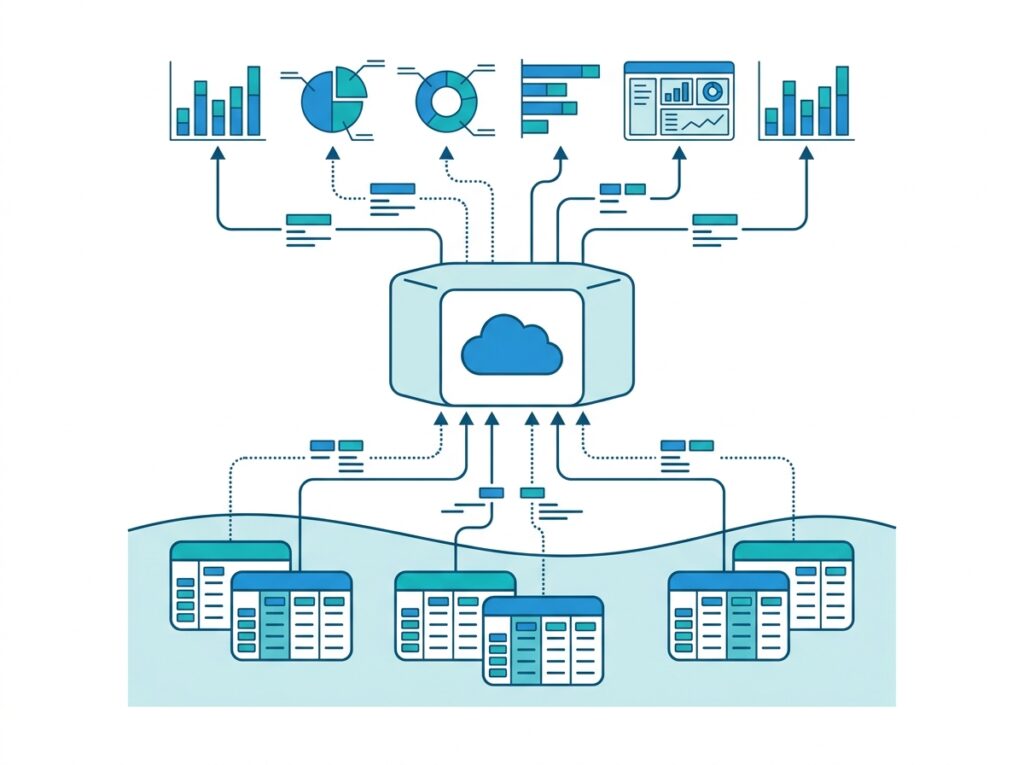
First, consider column loading, which Microsoft calls transcoding. When a report sends a query, the semantic model works out which columns that query actually needs. Then, and only then, it loads those specific columns from OneLake into memory. Because most queries touch only a handful of columns, the model rarely loads everything. As a result, it stays lean and fast, and it keeps frequently used columns warm in a cache for the next query.
Second, consider framing. Framing is how Direct Lake keeps the model aligned to the latest valid version of the Delta tables. When new data lands in OneLake, framing updates the model’s view so that subsequent queries read the fresh data. Consequently, reports reflect current data without a traditional refresh. These two mechanisms explain how Direct Lake achieves speed and freshness at the same time.
Direct Lake Architecture
The Direct Lake architecture connects three layers: the Delta tables in OneLake, the semantic model, and the report. Data flows upward through these layers on demand, which keeps the whole chain efficient.
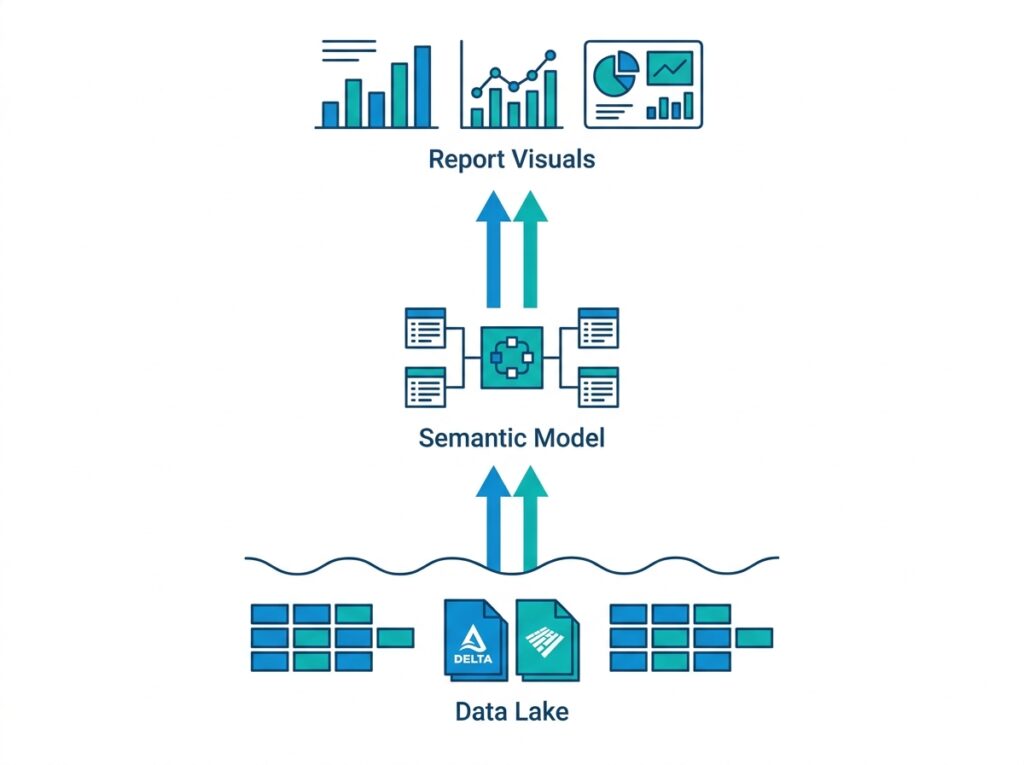
At the bottom sit the Delta Parquet tables, which a Fabric Lakehouse or Warehouse produces and stores in OneLake. Because Parquet is a columnar format, it aligns naturally with how Power BI’s engine reads data. In the middle sits the semantic model, which holds the relationships, measures, and definitions your reports rely on. Finally, at the top, the report requests data, and the model serves it.
It is worth noting that Fabric now offers two variants of this architecture. Direct Lake on OneLake reads the Delta tables directly, while Direct Lake on SQL endpoints works through the SQL analytics endpoint of a Lakehouse or Warehouse. The two behave slightly differently, particularly around fallback, which we will explore shortly. For most readers, however, the core idea stays the same: the report reads live OneLake data through the model, without a separate copy.
Relationship Between OneLake and Direct Lake
Direct Lake depends entirely on OneLake, so the two work as a pair. In fact, Direct Lake exists precisely because OneLake stores data once in an open format that Power BI can read natively. Without that foundation, none of this would be possible.
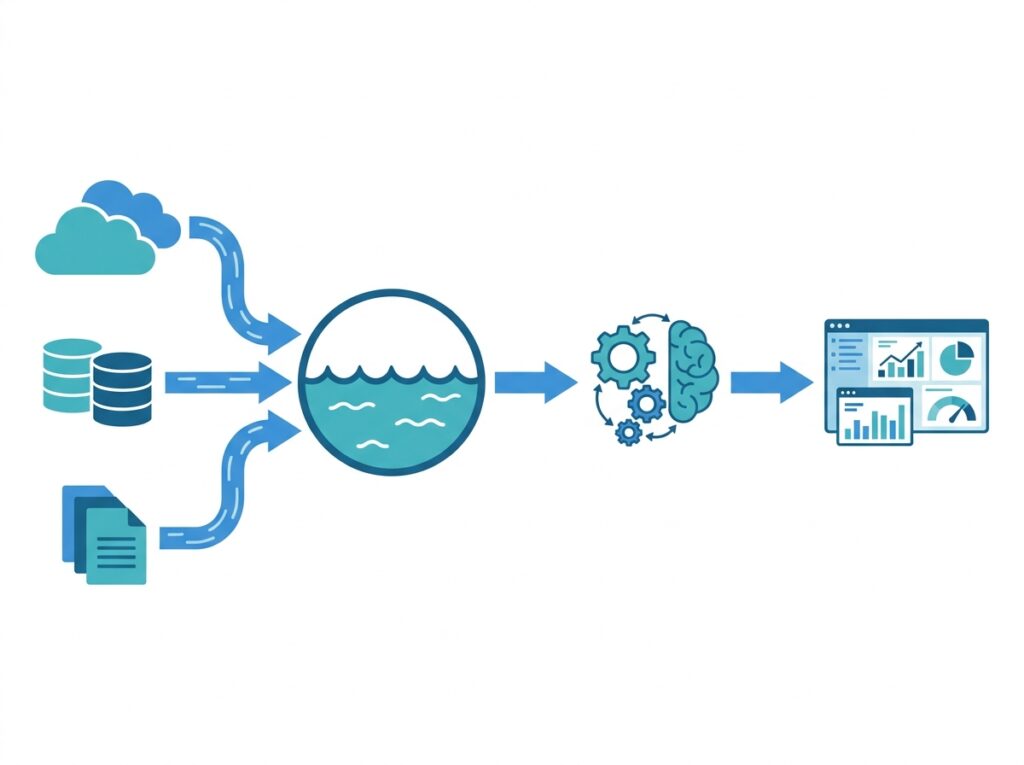
Here is the connection in plain terms. OneLake keeps one copy of your data as Delta Parquet tables, as the OneLake guide explains in detail. Direct Lake then reads those exact tables. Because both use the same open format, no conversion step sits between them. Therefore, the moment fresh data lands in OneLake, Direct Lake can serve it.
This tight pairing also explains why Direct Lake needs Fabric. OneLake ships as part of Fabric, so Direct Lake naturally lives there too. In other words, you cannot bolt Direct Lake onto a classic Power BI setup, because the OneLake foundation it relies on comes only with the Fabric platform.
Direct Lake vs Import Mode
Import mode has powered Power BI reports for years, and it remains excellent for many scenarios. However, Direct Lake changes the calculation for data that already lives in OneLake. The clearest difference is duplication: Import copies data into the model, whereas Direct Lake reads it in place.
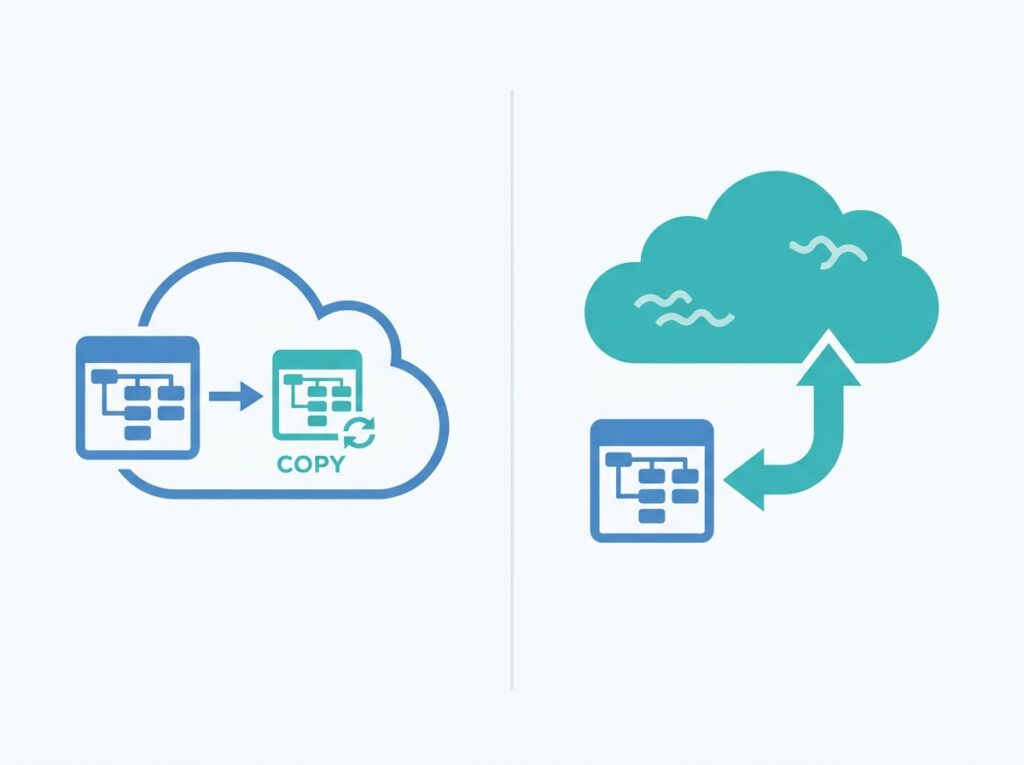
| Feature | Direct Lake | Import |
|---|---|---|
| Copies data into the model | No | Yes |
| Scheduled refresh | Not required | Required |
| Query speed | Very high | Very high |
| Data freshness | Near real-time | Depends on refresh |
| OneLake required | Yes | No |
| Fabric required | Yes | No |
Notice that both modes deliver very high query speed, because both ultimately serve data from Power BI’s in-memory engine. The real advantage of Direct Lake, therefore, is not raw speed alone but the combination of that speed with fresh data and no refresh. That said, Import still shines when your data does not live in OneLake, or when you need specific modeling features that suit a fully imported copy. In practice, you should choose Import when your source sits outside Fabric, and choose Direct Lake when your data already lives in OneLake.
Direct Lake vs DirectQuery
DirectQuery solved the freshness problem long before Direct Lake existed, because it always queried the live source. Unfortunately, it often paid for that freshness with slower reports, since every visual sent a query to the source database. Direct Lake keeps the freshness but removes the slowdown.
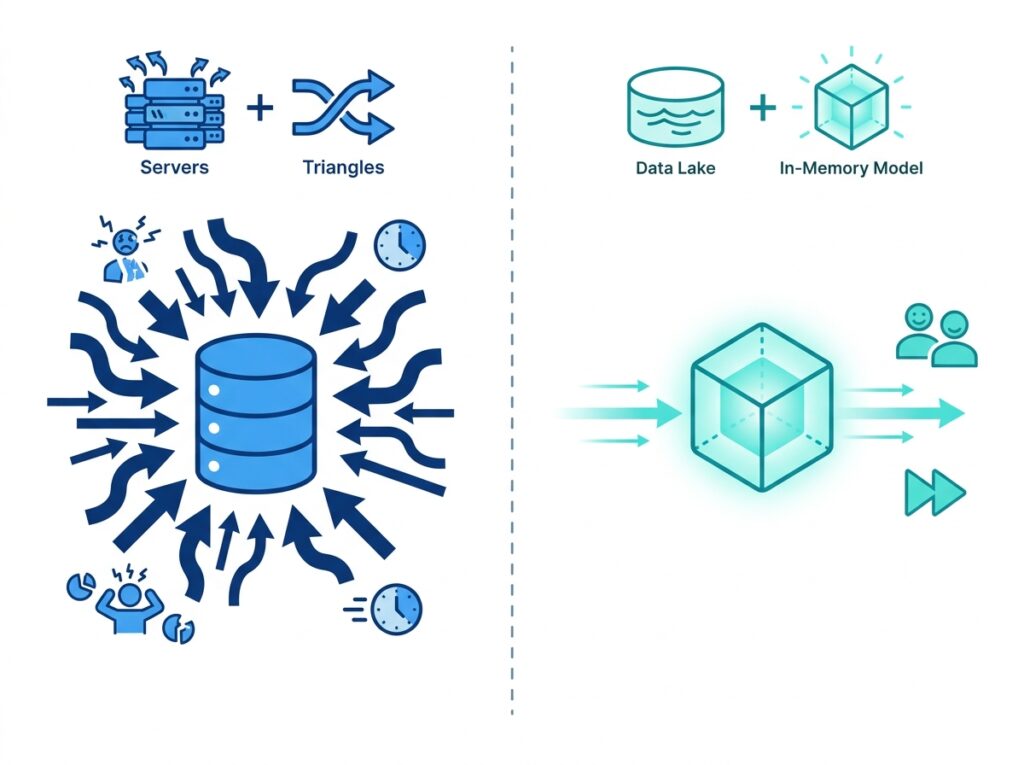
| Feature | Direct Lake | DirectQuery |
|---|---|---|
| Query source | OneLake | Source database |
| Typical speed | Faster | Slower |
| Refresh needed | No | No |
| Load on source system | Very low | High |
| User experience | Excellent | Depends on source |
The key distinction lies in where each mode runs its queries. DirectQuery pushes work to the source system, so a busy or slow database drags reports down and adds load to operational systems. Direct Lake, on the other hand, serves data from OneLake through Power BI’s own engine, which keeps the source untouched and the reports quick. Interestingly, when Direct Lake cannot serve a query within capacity limits, it can fall back to DirectQuery as a safety net. Even so, Microsoft advises you to design and size your solution to avoid that fallback, because it trades away the speed advantage.
Direct Lake vs Composite Models
Composite models let a single semantic model mix storage modes. For example, one table might use Import while another uses DirectQuery. This flexibility helps when no single mode meets every requirement, so composite models remain a valuable tool.

| Storage mode | Best for |
|---|---|
| Import | Small and medium datasets |
| DirectQuery | Real-time operational systems |
| Direct Lake | Enterprise Fabric analytics |
| Composite | Hybrid scenarios |
So how does Direct Lake relate to composite models? Increasingly, Fabric lets you combine Direct Lake tables with Import tables in one model, which gives you a modern form of composite modeling. As a result, you can serve high-freshness data through Direct Lake while pulling smaller, stable reference tables through Import. However, this power adds complexity, so you should reach for a hybrid design only when a single mode genuinely cannot meet your needs. Otherwise, a clean Direct Lake model keeps things simpler and easier to maintain.
Direct Lake Performance Explained
Direct Lake performs well because it leans on the same engine that makes Import mode fast: VertiPaq. VertiPaq is Power BI’s in-memory columnar engine, and it compresses and scans columns extremely efficiently. Because Direct Lake feeds VertiPaq directly from OneLake, queries run at in-memory speed rather than source-query speed.
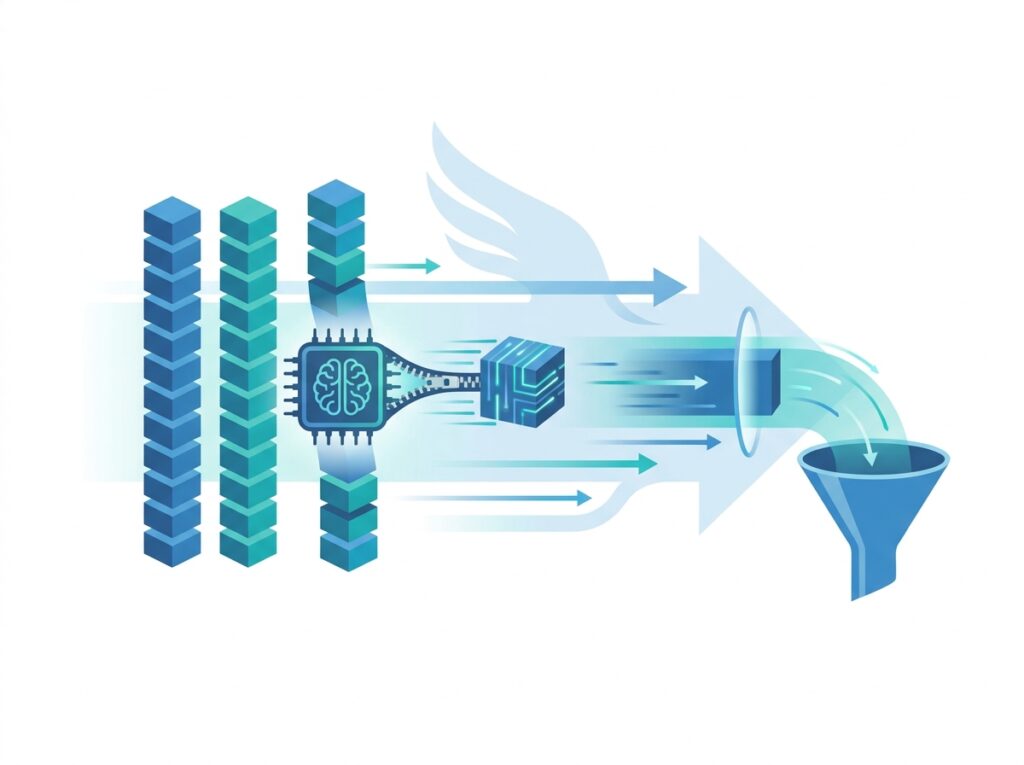
Several factors drive this performance. First, columnar storage means Power BI reads only the columns a query needs, which cuts the work dramatically. Second, transcoding loads those columns on demand and then caches them, so repeat queries run even faster. Third, because the data already sits in OneLake as Delta Parquet, no refresh job competes for resources in the background. Consequently, users get quick, responsive reports on current data.
Nevertheless, performance still depends on sound design. If a model pages large volumes of data in and out of memory repeatedly, queries slow down. Likewise, if a table exceeds the capacity limits of your Fabric SKU, the model may fall back to DirectQuery. Therefore, you should size capacity sensibly and model efficiently, much as the Power BI Performance Optimization guide recommends for any high-performing solution.
How Power BI Reads Data in Direct Lake
Let us walk through a single query step by step, because the sequence makes the whole concept click. When a user opens a report, Power BI does not load the entire dataset up front. Instead, it responds to each query with only the data that query requires.
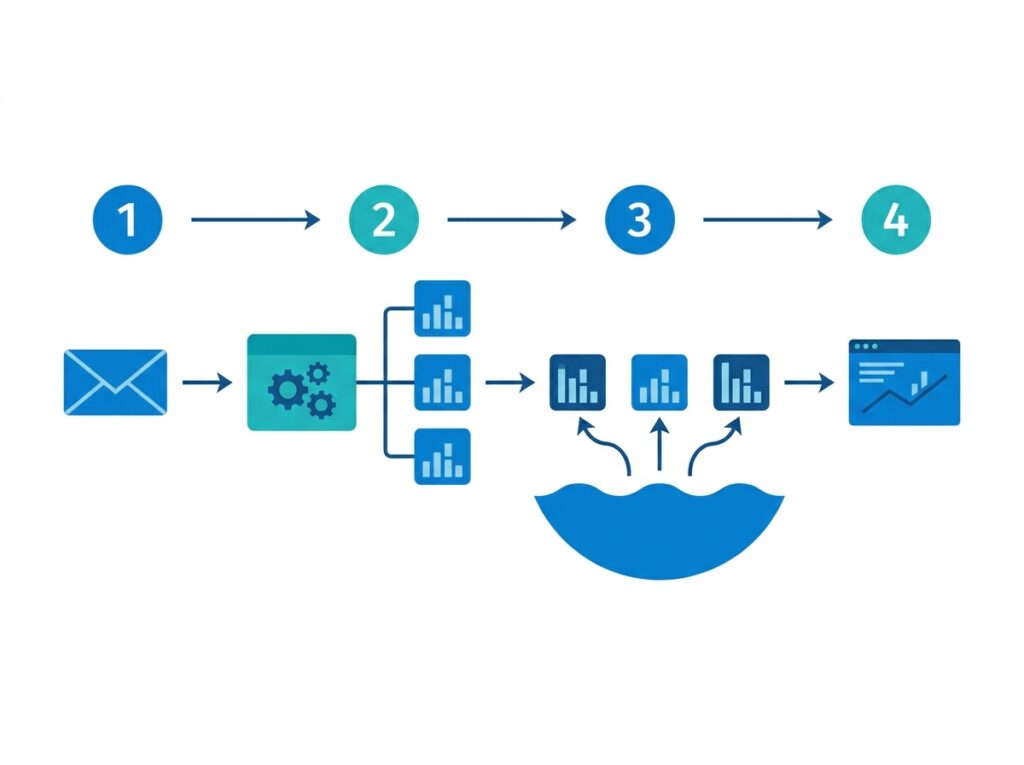
First, the user interacts with a visual, and Power BI generates a DAX query. Next, the semantic model examines that query and identifies exactly which columns it needs, including columns used by relationships and measures. Then, the model checks memory. If the required columns already sit in memory, it answers immediately. Otherwise, it loads those columns from OneLake through transcoding.
After the columns arrive in memory, VertiPaq executes the query and returns the result to the visual. Finally, the model keeps those columns cached, so the next query that uses them runs faster. Because this cycle repeats efficiently, reports feel snappy even on large datasets. In essence, Direct Lake loads little, caches smartly, and reuses aggressively.
Direct Lake Requirements
Before you adopt |Direct Lake, you should confirm a few requirements, because the mode does not work everywhere. Fortunately, the list is short and clear.
First, you need Microsoft Fabric, since Direct Lake ships as part of the Fabric platform. Second, your data must live in OneLake as Delta tables, which a Fabric Lakehouse or Warehouse produces. Third, you need appropriate Fabric capacity, because Direct Lake reads and pages data using capacity resources. In addition, you build the report on a semantic model in a Fabric workspace rather than a classic Power BI Pro workspace.
Because these requirements center on Fabric and OneLake, the path to Direct Lake usually starts with getting your data into a Lakehouse or Warehouse. Once your data sits there as Delta tables, creating a Direct Lake semantic model becomes straightforward. Therefore, teams that already run on Fabric can adopt Direct Lake quickly, while teams still on classic Power BI need to move to Fabric first.
Direct Lake Limitations
Direct Lake is powerful, yet it is not magic, so you should understand its limits before you commit. Knowing these limitations up front helps you design around them rather than stumble into them.
First, Direct Lake requires Fabric and OneLake, so it does not suit organizations that have not adopted the platform. Second, the data must sit in Delta format; other formats do not qualify until you convert or land them as Delta. Third, capacity guardrails apply. If a table grows beyond your SKU’s limits, the behavior depends on the variant: Direct Lake on OneLake behaves like Import and the refresh fails until you optimize the tables, whereas Direct Lake on SQL can fall back to DirectQuery and run more slowly.
In addition, some advanced modeling features behave differently in Direct Lake than in Import, so you should test complex models carefully. Because Microsoft continues to develop Direct Lake rapidly, however, several early limitations have already eased, and more will likely follow. Therefore, always check the current documentation before you rule Direct Lake in or out for a demanding scenario.
Enterprise Performance Benefits
At enterprise scale, Direct Lake’s benefits compound, because large organizations feel the pain of duplication and refresh windows most acutely. When you remove the copy and the refresh, you remove two of the biggest bottlenecks in large reporting estates.
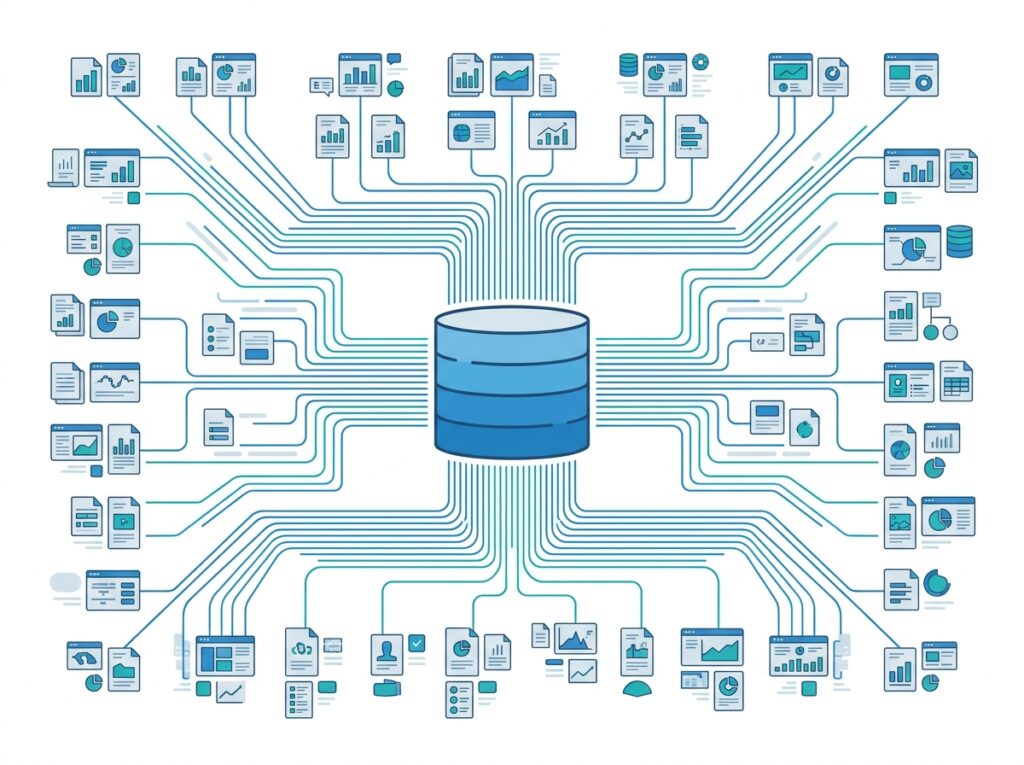
Consider the gains. First, storage costs drop, because models no longer duplicate millions of rows. Second, reports stay fresh, since Direct Lake reads current OneLake data without waiting for a nightly refresh. Third, source systems breathe easier, because Direct Lake serves queries from OneLake rather than hammering operational databases. Fourth, teams scale more smoothly, since many reports can share the same governed tables instead of each maintaining a copy.
Furthermore, Direct Lake reinforces a single source of truth. When every department reads the same OneLake tables, their numbers agree by design. As a result, executives trust the dashboards more, and analysts spend less time reconciling conflicting reports. For large organizations, therefore, Direct Lake is not just a performance feature but an operational and governance advantage.
Hospital Analytics Example
To ground these ideas, consider a large healthcare network that adopts Direct Lake for its reporting. This example shows why near real-time analytics matters most in settings where delays carry real consequences.
The Organization
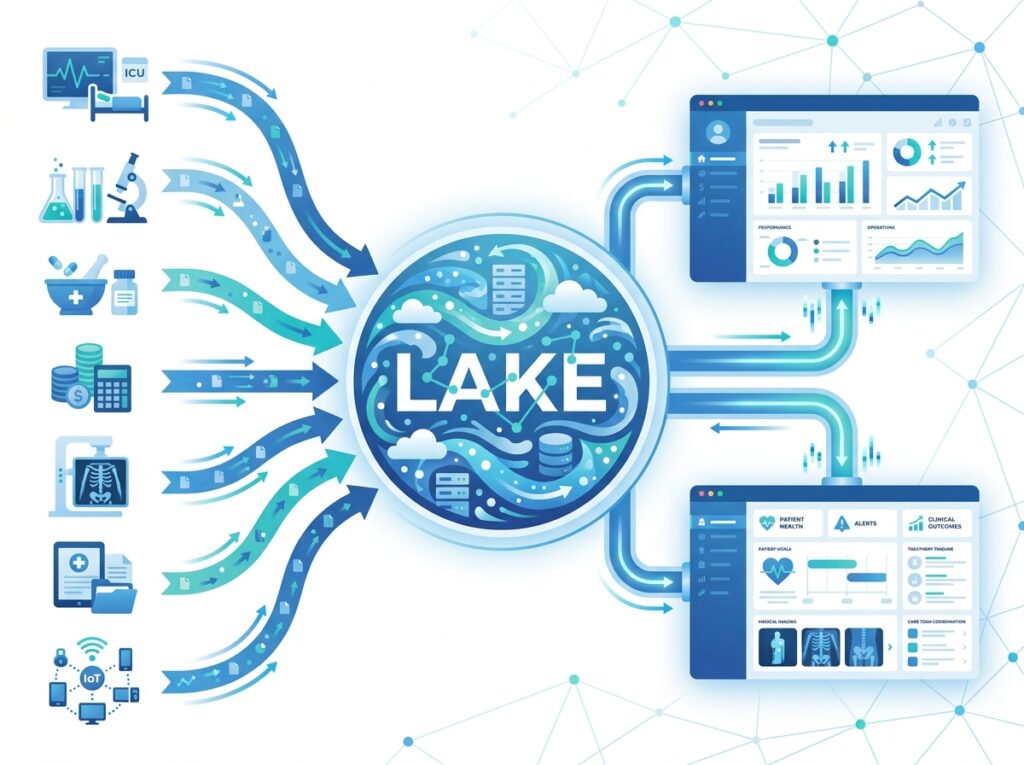
The network runs 45 hospitals and monitors many systems at once: ICU monitoring, laboratory systems, pharmacy, finance, Biomedical Engineering, radiology, Electronic Health Records, IoT sensors, and medical device monitoring. Because these systems generate data constantly, leaders need current information, not yesterday’s snapshot.
Before Direct Lake
Previously, the reporting models imported data and refreshed every night. As a result, reports showed outdated numbers during the day, and executives waited for the next refresh to see the latest picture. Meanwhile, the models duplicated millions of rows, which inflated storage and stretched refresh windows longer and longer. On busy days, those refreshes sometimes overran, so the morning reports arrived late.
After Direct Lake
After the move to Direct Lake, the network stores its data once in OneLake, and Power BI reads it directly. Consequently, the nightly refresh disappears, and dashboards update in near real time. Because the models no longer copy data, storage drops and reporting speeds up. Clinical and executive teams now see current figures throughout the day rather than waiting for a batch job.
The Result
The results follow naturally from the architecture. The network gains faster analytics, lower infrastructure costs, and better data freshness, all at once. Moreover, the platform scales across all 45 hospitals without a copy per report, which supports enterprise growth. Above all, everyone reads the same OneLake data, so the organization finally works from a single source of truth. In a clinical setting, where timely and consistent information genuinely affects decisions, that combination carries real weight.
Best Practices
Size your capacity for your data. Because guardrails trigger fallback, you should match your Fabric SKU to your largest tables. As a result, you avoid slow DirectQuery fallback and keep the Direct Lake advantage.
Optimize your Delta tables. Well-maintained Delta tables load faster, so compact and optimize them regularly. Consequently, transcoding stays quick and memory paging stays manageable.
Model efficiently. Keep only the columns you need, and design clean relationships and measures, just as the Data Modeling guide advises. Because Direct Lake loads columns on demand, a lean model performs noticeably better.
Prepare data upstream. Shape and clean data in the Lakehouse using Power Query or Spark before it reaches the model. Therefore, the semantic model stays simple and fast.
Choose the right variant. Decide between Direct Lake on OneLake and Direct Lake on SQL based on your security and fallback needs. In addition, test both if your scenario is demanding, since they behave differently.
Common Mistakes
Ignoring capacity limits. Many teams overlook guardrails, and then queries fall back to DirectQuery unexpectedly. Because fallback slows reports, you should monitor capacity and size it deliberately.
Treating Direct Lake as Import with a new name. Direct Lake works differently under the hood, so assumptions from Import do not always transfer. Instead, learn how transcoding and framing behave, and design accordingly.
Neglecting Delta table maintenance. Fragmented or poorly optimized Delta tables slow transcoding. Therefore, schedule optimization so your tables stay efficient.
Overloading the model with unused columns. Extra columns add memory pressure even when reports never use them. Because a lean model pages less data, you should trim what you do not need.
Forcing Direct Lake where Import fits better. If your data sits outside Fabric, Import often remains the simpler choice. Consequently, you should match the storage mode to the situation rather than default to Direct Lake everywhere.
Conclusion
Direct Lake resolves the trade-off that shaped Power BI for a decade. Because it reads Delta Parquet data directly from OneLake, it delivers Import-like speed and DirectQuery-like freshness at the same time, without a scheduled refresh and without duplicating data. Through transcoding and framing, it loads only what each query needs and keeps the model aligned to the latest data. As a result, reports stay fast and current together.
Of course, Direct Lake is not a universal replacement. It requires Fabric and OneLake, it depends on Delta tables, and it works best when you size capacity and model carefully. Nevertheless, for organizations already on Fabric, it is usually the right starting point, because it combines performance, freshness, and a single source of truth. Therefore, once your data lives in OneLake, reach for Direct Lake first, and fall back to Import or DirectQuery only when a specific constraint demands it. In the journey from Power BI to Fabric to OneLake, Direct Lake is where the speed finally catches up with the vision.
Frequently Asked Questions
Direct Lake is a Power BI semantic model storage mode in Microsoft Fabric that reads Delta Parquet data directly from OneLake. Because it does not copy data into the model and does not require a scheduled refresh, it delivers fast queries on current data. In effect, it combines the speed of Import mode with the freshness of DirectQuery by serving data through Power BI’s in-memory engine straight from OneLake.
For most report interactions, Direct Lake performs comparably to Import, because both serve data through Power BI’s VertiPaq in-memory engine. Therefore, the main advantage of Direct Lake is not raw speed alone but the combination of that speed with near real-time freshness and no refresh. In some heavy scenarios Import can still edge ahead, so you should test with your own data.
Not entirely. Direct Lake handles many scenarios that once needed DirectQuery, and it usually runs faster because it serves data from OneLake rather than the source database. However, DirectQuery still suits cases where data must stay in an external operational system in real time. In fact, Direct Lake can fall back to DirectQuery when a query exceeds capacity limits, so the two remain related.
Yes. Direct Lake requires Microsoft Fabric, because it depends on OneLake, which ships as part of the Fabric platform. In addition, you need appropriate Fabric capacity and a semantic model in a Fabric workspace. Consequently, teams still on classic Power BI Pro must move to Fabric before they can use Direct Lake.
The core difference is duplication. Import copies data into the model and refreshes it on a schedule, whereas Direct Lake reads data in place from OneLake with no copy and no refresh. Both serve queries from memory at high speed. Therefore, Direct Lake suits data that already lives in OneLake, while Import suits sources outside Fabric or scenarios that need a fully imported copy.
Yes, and in fact it depends on OneLake completely. Direct Lake reads the Delta Parquet tables that OneLake stores, so the two work as a pair. Because OneLake keeps one open copy of the data, Direct Lake can read it natively without conversion. As soon as fresh data lands in OneLake, Direct Lake can serve it to reports.
Very much so. At enterprise scale, Direct Lake removes duplication and refresh windows, which are two of the biggest bottlenecks in large reporting estates. Moreover, many reports can share the same governed OneLake tables, which lowers storage cost and reinforces a single source of truth. Therefore, large organizations often see the greatest benefit from Direct Lake.
Direct Lake requires Fabric and OneLake, and the data must sit in Delta format, so it does not fit every setup. In addition, capacity guardrails apply: if a table grows too large for your SKU, the model either fails to refresh or falls back to DirectQuery depending on the variant. Some advanced modeling features also behave differently, so you should test complex models and check current documentation.
No. Direct Lake does not require a scheduled refresh, which is one of its main advantages over Import mode. Because it reads live data from OneLake and keeps the model aligned through framing, reports reflect current data automatically. As a result, teams avoid the long refresh windows and failures that large Import models often suffer.
Yes. Healthcare teams need current, consistent data, and Direct Lake delivers near real-time reporting without a nightly refresh. Because it reads unified OneLake data, clinical and executive dashboards stay fresh throughout the day, and every department works from the same source of truth. Consequently, Direct Lake suits demanding healthcare scenarios such as ICU and device monitoring particularly well.