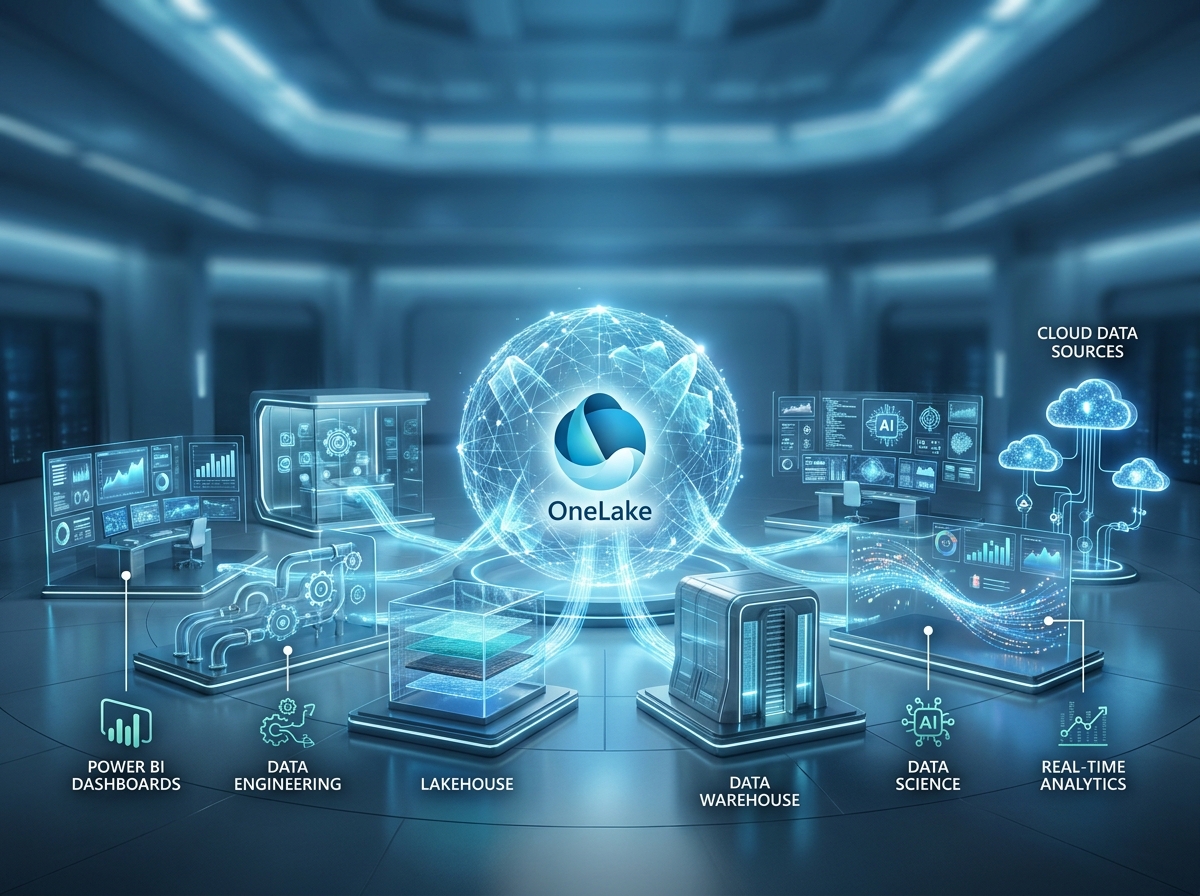
If Microsoft Fabric is the unified analytics platform, OneLake is the ground it stands on. Every workload in Fabric, reporting, engineering, warehousing, data science, and real-time analytics, reads and writes the same data through OneLake, which is why Microsoft calls it “The OneDrive for data.” Understanding OneLake is the key to understanding why Fabric works the way it does, and it is one of the most searched-for concepts among people learning the platform. This guide explains OneLake from first principles up to enterprise deployment.
Key Takeaways
- OneLake is the single, tenant-wide, logical data lake automatically provisioned with every Microsoft Fabric tenant, one lake for the whole organization.
- It stores data in open Delta Parquet format, so one copy of the data is readable by every workload without duplication or conversion.
- Shortcuts and Mirroring let OneLake reference and replicate data from other systems without physically moving it, virtualizing the data estate.
- Direct Lake lets Power BI read straight from OneLake at near-Import speed on current data, no scheduled refresh required.
- OneLake is built on Azure Data Lake Storage Gen2 technology but adds a unified SaaS layer, one governance model, one namespace, and native Fabric integration.
This article is part of the Zytriona Microsoft Fabric cluster and expands on Microsoft Fabric Explained. It assumes a basic familiarity with What Is Power BI? but starts OneLake from the ground up.
What Is OneLake?
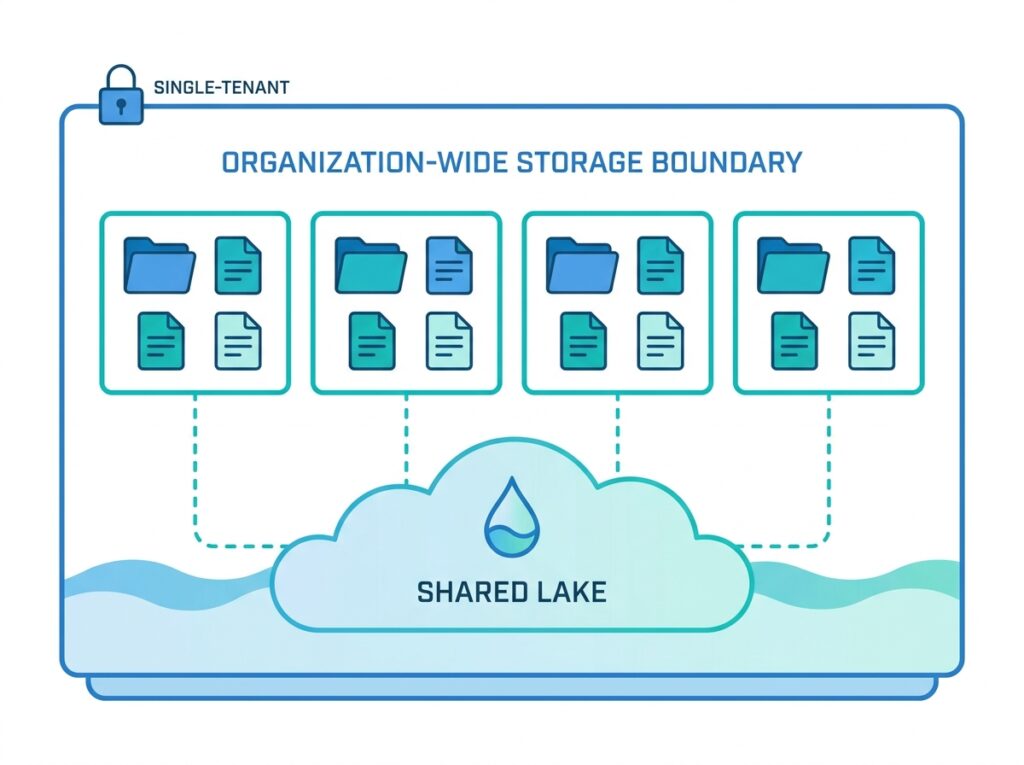
OneLake is the single, unified, logical data lake that underpins all of Microsoft Fabric. Exactly one OneLake is automatically provisioned with every Fabric tenant, and it becomes the one place where all of an organization’s Fabric data lives. There is no OneLake to set up, size, or configure, it simply exists as part of the platform.

The comparison Microsoft draws is to OneDrive. Just as OneDrive gives every user one personal store for their files, OneLake gives every organization one store for its analytics data. Every workspace, Lakehouse, and warehouse an organization creates lives inside that one lake, under one namespace, with one governance model. This is the defining idea: not many lakes stitched together, but one logical lake for the entire tenant.
Why Microsoft Created OneLake
OneLake exists to solve the problem of data sprawl. In most organizations, data lakes multiplied over time, one team built its own, another department stood up a separate store, projects created their own. The result was many disconnected lakes, each with duplicated data, its own permissions, and its own owners. This is exactly the fragmentation that makes enterprise analytics slow and unreliable.
Every copy of data added storage cost, introduced the risk of inconsistency, and made governance harder. When the same customer or patient record existed in five places, no one could be certain which was authoritative. Combining data across these silos required constant, brittle integration work.
OneLake’s answer is a single lake for the whole organization, with one copy of data shared across all workloads. Instead of every team provisioning storage, they all work within the one OneLake, organized but unified. This eliminates needless duplication, centralizes governance, and makes data reuse the default rather than the exception. The motivation, in short, was to give organizations one trustworthy foundation instead of a scattered collection of lakes.
How OneLake Works
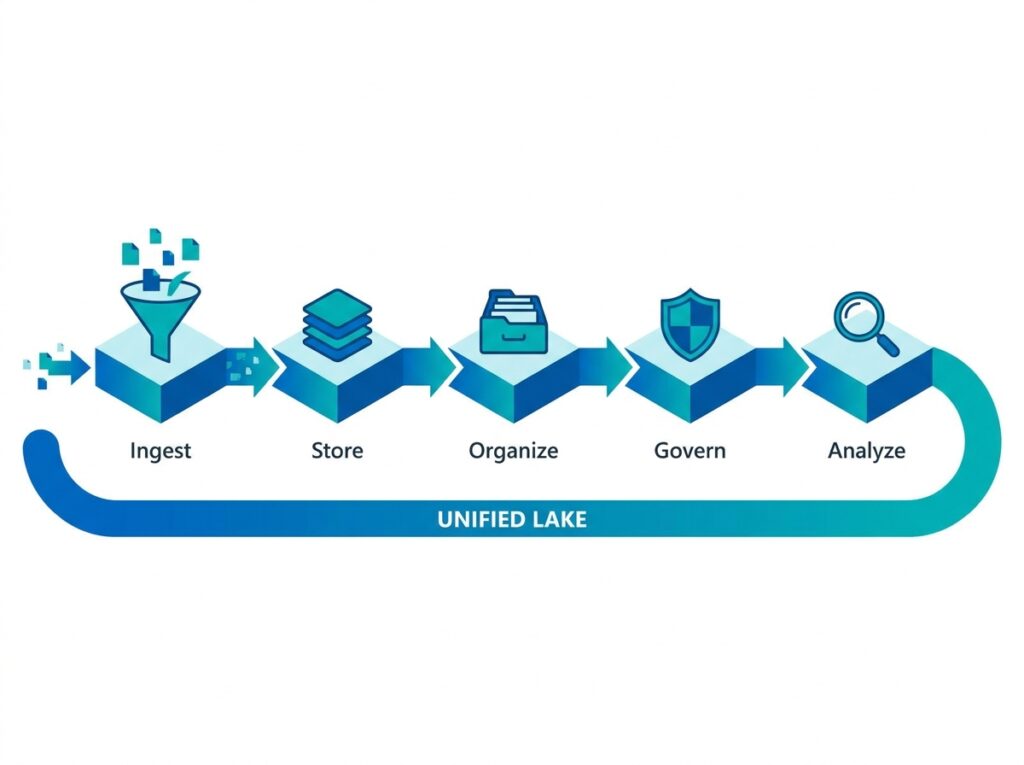
At a practical level, OneLake works by storing all data in one open format and exposing it through one file-system namespace that every workload understands. When a data engineer writes a table, a report author reads it, and a data scientist trains on it, they are all pointing at the same files in OneLake, no copying between systems.
This is possible because OneLake standardizes on Delta Parquet as its storage format. Any workload that writes data writes it in this open format, and any workload that reads data reads the same open format. There is no proprietary lock-in and no conversion step between tools. The moment data lands in OneLake, it is available to everything.
OneLake also works with data that lives outside it, through Shortcuts and Mirroring (covered later), so it can present a unified view without forcing every byte to be physically relocated. The essential mechanism to remember is one copy, one open format, one namespace, accessed in place by every workload.
OneLake Architecture Explained
OneLake’s architecture has a simple, hierarchical shape. At the top is the tenant, one OneLake per organization. Within it are workspaces, which organize data and items by team, project, or domain. Inside workspaces are the data items themselves, Lakehouses and warehouses, and within those are the actual folders and Delta tables.
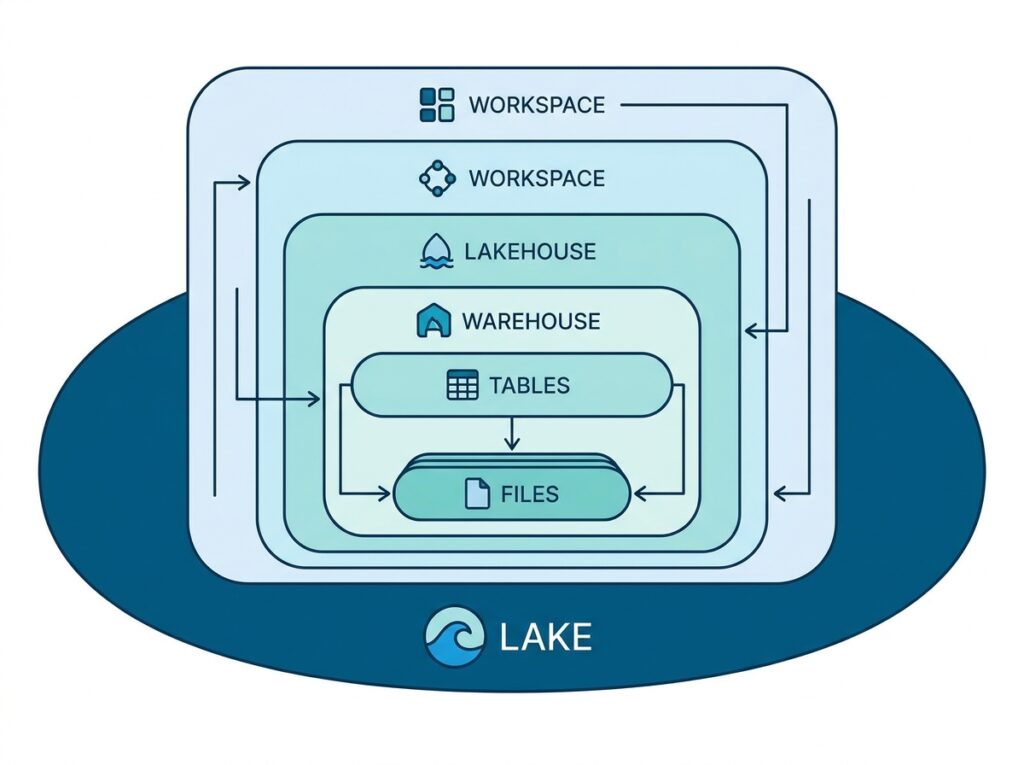
Beneath this logical structure, OneLake is built on Azure Data Lake Storage Gen2 technology, meaning it inherits proven, enterprise-grade cloud storage. What Fabric adds on top is the unification: one tenant-wide namespace, automatic provisioning, and consistent governance across every workspace. It is also compatible with existing ADLS Gen2 APIs, so tools that already speak that protocol can work with OneLake. The architecture, therefore, combines familiar underlying storage with a new, unified organizing layer that spans the whole organization.
OneLake Storage Structure
Understanding the pieces that make up OneLake storage helps clarify how teams actually work within it. Each component has a distinct role, but all sit inside the one lake.
| Component | Purpose |
|---|---|
| Workspace | Organizes assets by team or project |
| Lakehouse | Stores raw and curated data |
| Warehouse | SQL analytics storage |
| Shortcuts | Virtual access to external data |
| Delta Tables | ACID-compliant table storage |
| Direct Lake | High-speed Power BI connectivity |
The key point is that all of these components store their data as Delta tables in the one OneLake. A workspace is an organizing container, a Lakehouse and a warehouse are ways of working with data, and Shortcuts and Direct Lake are ways of accessing it, but underneath, there is a single shared store. This is what allows a table produced in one workspace to be reused in another without copying.
What Is Delta Lake?
Delta Lake is the open table format that OneLake uses to store data reliably. It builds on Parquet, a widely used open columnar file format, and adds a transaction layer that brings database-like guarantees to files in a lake. In Fabric, tables are stored as Delta Parquet, which is simply Parquet data managed by the Delta format.
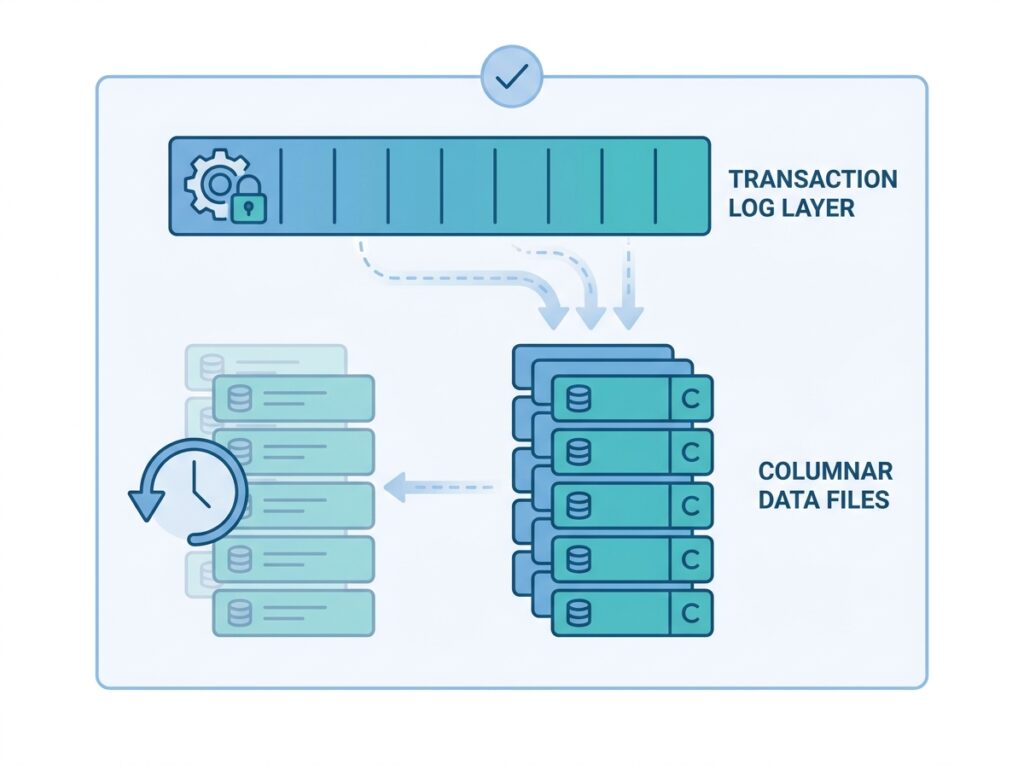
The reason Delta matters is that it provides ACID transactions, atomicity, consistency, isolation, and durability, on data in a lake. This means reads and writes are reliable even when many processes touch the same data, and the format supports versioning, so you can see how a table looked at an earlier point. These guarantees turn a raw collection of files into trustworthy tables that reporting and analytics can depend on. Because Delta is open, data written by Fabric is not trapped in a proprietary format, it can be read by other Delta-compatible engines too.
What Is a Lakehouse?
A Lakehouse is a Fabric item that combines the flexibility of a data lake with the structure of a data warehouse. It can hold raw, unstructured files as well as organized, queryable tables, all in one place. In OneLake, a Lakehouse stores its tables as Delta Parquet, so the same data is available both as files a data engineer can process and as tables an analyst can query.
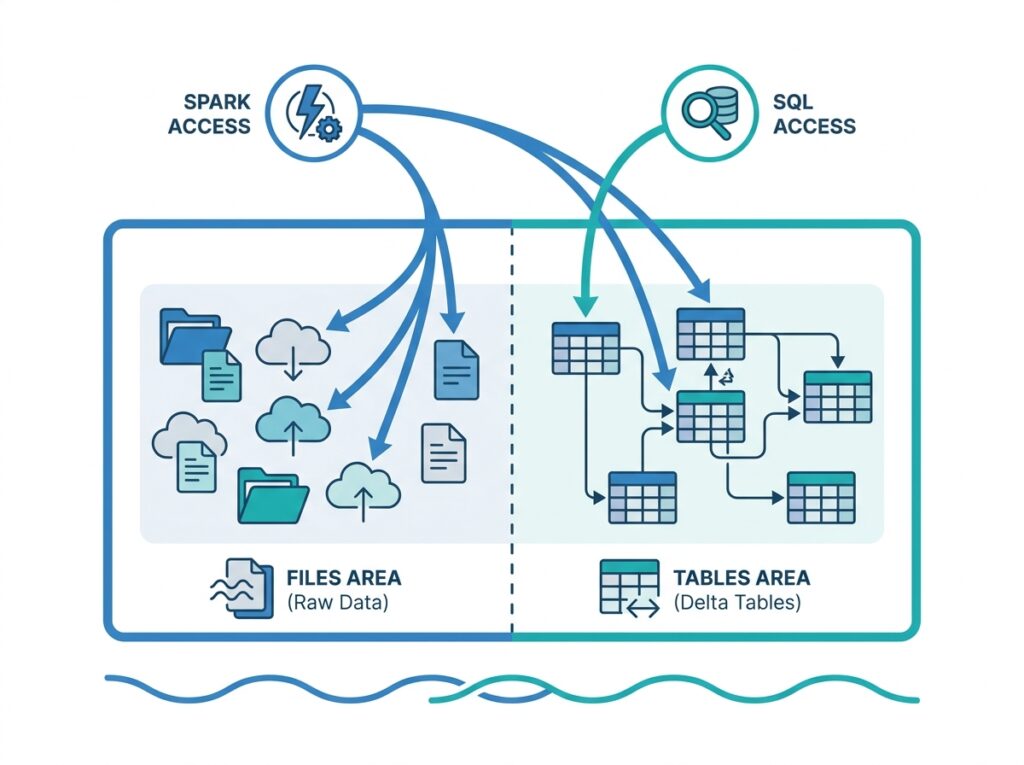
Engineers typically work in a Lakehouse using Apache Spark through notebooks, transforming large volumes of raw data into clean, structured tables. Crucially, every Lakehouse also exposes a SQL endpoint, so its Delta tables can be queried with standard SQL without any extra setup. This dual nature, files and tables, Spark and SQL, in one item, is what makes the Lakehouse the workhorse of data preparation in Fabric. The Lakehouse is covered more fully in Microsoft Fabric Explained.
Understanding OneLake Shortcuts
Shortcuts are one of OneLake’s most powerful features. A shortcut is a pointer to data that lives somewhere else, in another OneLake location, or in external storage such as Azure Data Lake Storage or Amazon S3, that makes that data appear inside OneLake without physically copying it. This is data virtualization: the data stays where it is, but you can use it as if it were local.
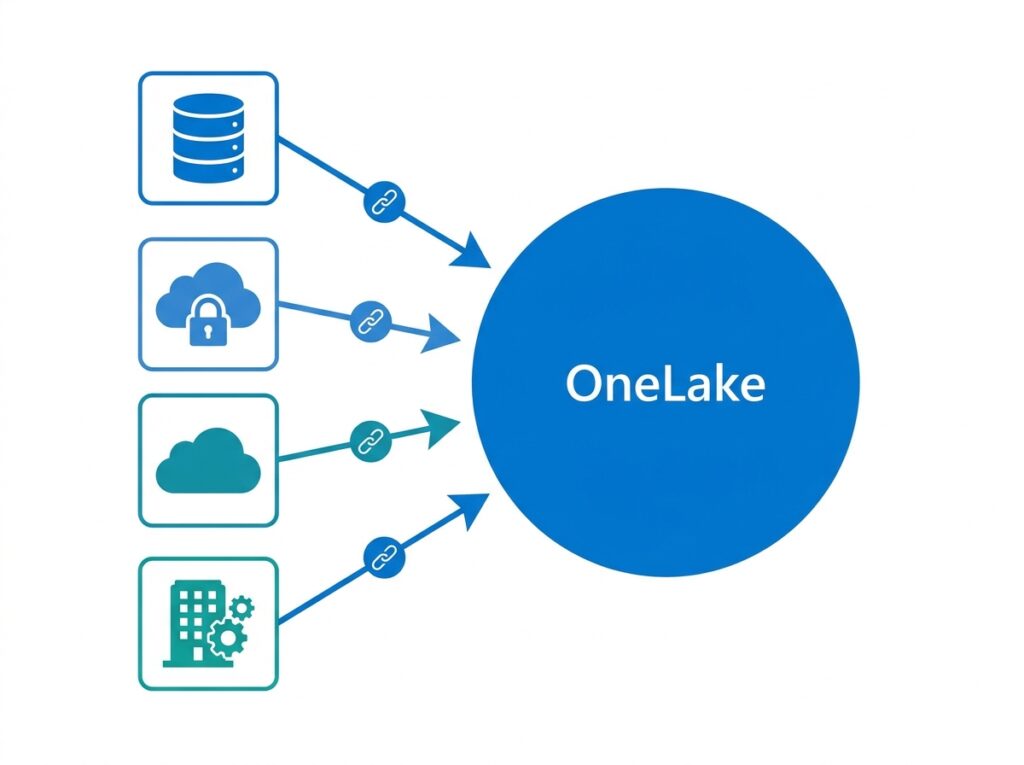
The value is significant. Shortcuts eliminate needless data movement and duplication, one of the biggest sources of cost and inconsistency in traditional architectures. A team can reference a dataset owned by another team, or bring in data from a cloud account elsewhere, without building a pipeline to copy it. Combined with Mirroring, which continuously replicates external databases into OneLake in near real time, Shortcuts let OneLake present a unified view of an organization’s data even when some of it physically lives outside Fabric. Microsoft’s OneLake Shortcuts documentation covers the supported sources and behaviours.
What Is Direct Lake?
Direct Lake is a Power BI connectivity mode unique to Fabric that lets reports read Delta tables directly from OneLake at high speed. It is one of the most important reasons OneLake matters to Power BI users, because it changes the long-standing trade-off between data freshness and query performance.
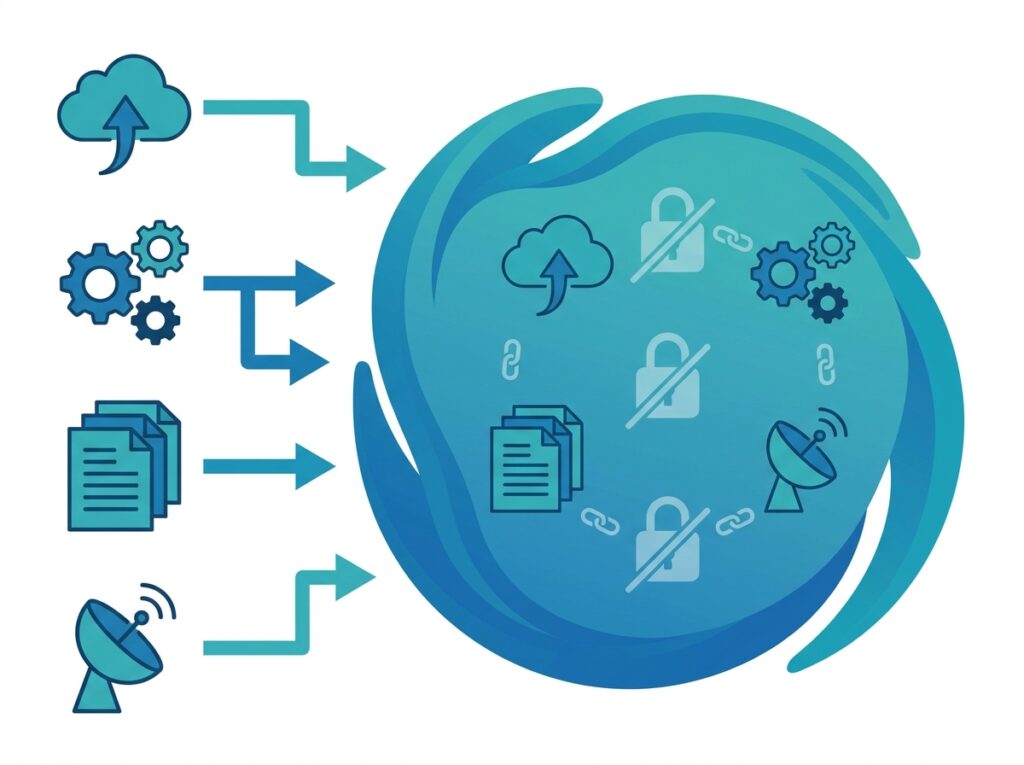
Traditionally, Power BI offered Import mode (fast, but on a copied snapshot that must be refreshed) or DirectQuery (live, but slower because each query hits the source). Direct Lake combines their strengths: it reads the Delta Parquet files in OneLake directly, giving Import-like speed while working on current data, with no scheduled import to maintain. For large datasets, this can mean fast reports on fresh data without the refresh overhead discussed in Power BI Performance Optimization. Direct Lake is only possible because OneLake stores data in one open format that Power BI can read natively.
OneLake Security
Security in OneLake is built on Microsoft Entra ID (formerly Azure Active Directory), the same identity platform used across Microsoft’s cloud. This means access to OneLake data is governed by the organization’s existing identities, groups, and conditional access policies, rather than a separate, bolt-on permission system.
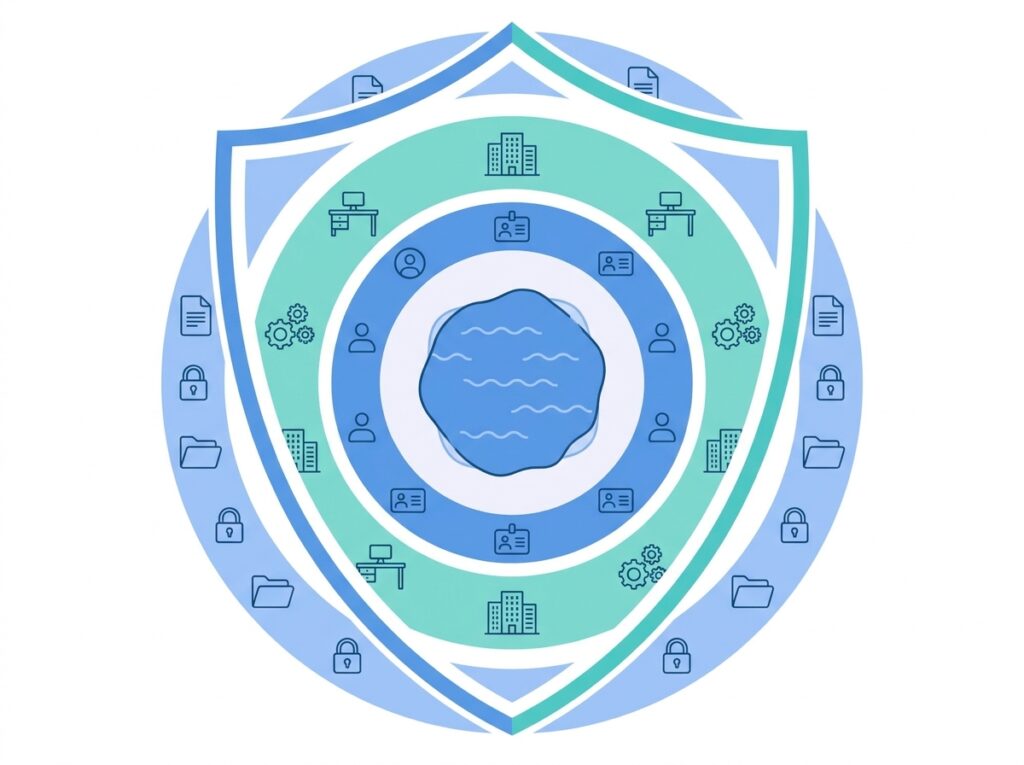
Access is controlled at multiple levels. Workspace roles determine what members can do within a workspace, and permissions can be set on individual items. Fabric also supports finer-grained controls, so sensitive data can be restricted appropriately. Because everything sits in one governed lake under one identity system, security is applied consistently rather than reinvented per tool. The row-level security concepts covered in Power BI Row-Level Security extend naturally into this unified environment, so the same disciplined access control applies across the platform.
OneLake Governance
Governance is where OneLake’s single-lake design pays off most. Because all data lives in one lake under one platform, governing it is centralized rather than scattered across many disconnected systems each with its own rules.
The OneLake Catalog helps users discover, understand, and govern data across the tenant, providing a single place to find what data exists and who owns it. This directly addresses the old problem where no one could tell which of many copies was authoritative. Fabric also tracks data lineage, showing how data flows and transforms from source to report, which is invaluable for trust, debugging, and compliance.
Centralized governance also means policies, classifications, and standards can be applied once and enforced everywhere, rather than negotiated separately for each lake. For regulated industries in particular, this consistency is a major advantage: it is far easier to demonstrate control over one governed lake than over a dozen independent ones.
Microsoft Purview Integration
Microsoft Purview is Microsoft’s data governance and compliance suite, and it integrates with Fabric and OneLake to extend governance further. Where the OneLake Catalog handles discovery within Fabric, Purview brings broader capabilities for cataloguing, classification, and compliance across the wider data estate.
Through this integration, organizations can classify sensitive data, apply sensitivity labels, and manage compliance obligations that span both Fabric and other Microsoft data sources. For an enterprise that must track where personal or regulated data lives and who accesses it, Purview provides the reporting and controls to do so at scale.
The combination is powerful: OneLake unifies the storage, Fabric’s built-in governance handles day-to-day discovery and lineage, and Purview adds enterprise-grade classification and compliance on top. Together they let an organization treat governance as a first-class, tenant-wide capability rather than an afterthought.
OneLake and Power BI
For Power BI users, OneLake is transformative because it becomes the shared source their reports sit on. Instead of importing separate copies of data into each dataset, reports can be built on semantic models that read directly from OneLake, often through Direct Lake, so everyone works from the same governed data.
This connects directly to the modeling and preparation skills covered elsewhere in this series. The transformations you build with Power Query and the relationships you design in Power BI Data Modeling now operate over unified OneLake data rather than isolated imports. A well-modeled semantic model on OneLake can serve many reports while the same underlying tables also feed engineering and data science.
The practical effect is a single source of truth for reporting. When finance, operations, and clinical teams all build on the same OneLake tables, their numbers finally agree, because they are, quite literally, reading the same data.
OneLake Performance Benefits
OneLake delivers performance advantages that come directly from its architecture rather than from tuning. The most obvious is the elimination of data movement: because workloads read data in place, there is no time or cost spent copying data between a lake, a warehouse, and a reporting layer.
Direct Lake is the headline performance benefit for reporting, giving fast queries on current data without refresh cycles. The open Delta Parquet format is columnar and optimized for analytical queries, so scans over large tables are efficient. And because data is not duplicated, there is less storage to manage and less risk of slow, inconsistent copies drifting apart.
Performance also benefits from shared, managed compute: Fabric provisions and scales the underlying resources, so teams get analytical horsepower without managing clusters. The net result is that much of the performance work that used to be manual, moving, copying, and re-optimizing data, is simply avoided by design when everything lives once in OneLake.
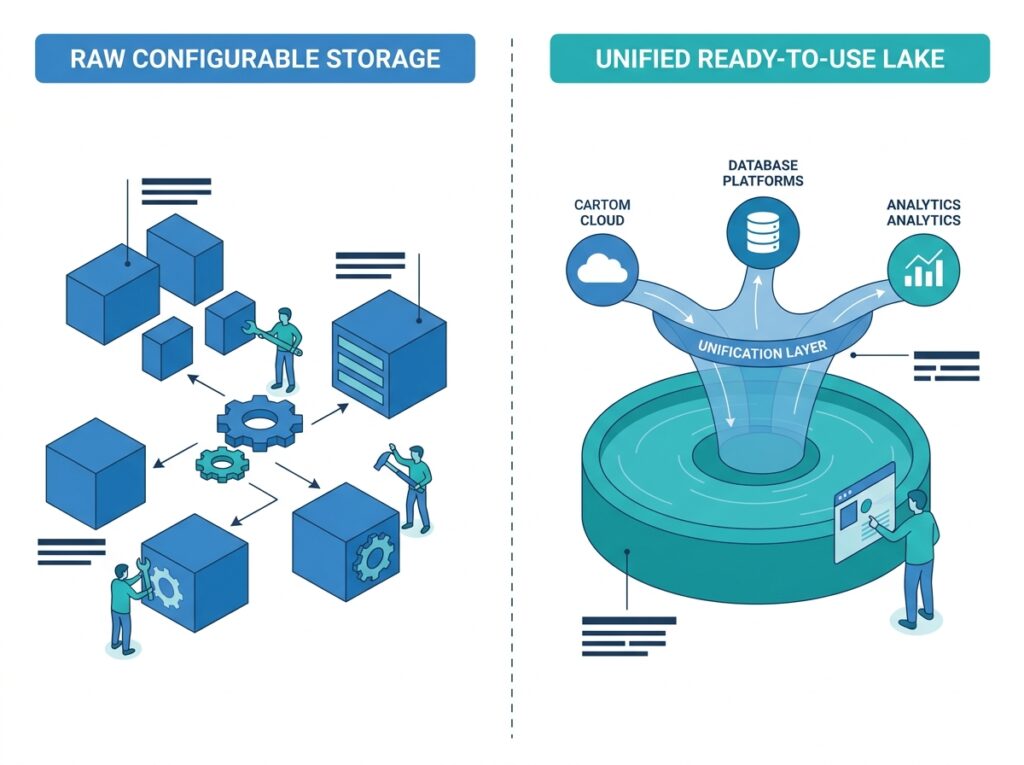
OneLake vs Azure Data Lake Storage Gen2
A common question is how OneLake relates to Azure Data Lake Storage Gen2 (ADLS Gen2). The important nuance is that they are not simply rivals, OneLake is built on ADLS Gen2 technology and is compatible with its APIs. The difference is what Fabric layers on top.
| Feature | OneLake | ADLS Gen2 |
|---|---|---|
| Built into Fabric | Yes | No |
| Single tenant-wide lake | Yes | No |
| Direct Lake for Power BI | Yes | No |
| Shortcuts | Yes | Limited |
| Unified analytics workloads | Yes | No |
| Fabric-native governance | Yes | No |
In short, ADLS Gen2 is powerful, general-purpose cloud storage that you provision and configure yourself. OneLake takes that foundation and makes it a single, automatically provisioned, tenant-wide lake with native analytics integration, Direct Lake, Shortcuts, and unified governance. If you are building on Fabric, OneLake gives you the storage benefits of ADLS Gen2 plus the unification that makes the whole platform work.
OneLake vs Traditional Data Lakes
Compared with the traditional approach of many independent data lakes, OneLake’s advantages are structural. The traditional model tends toward multiple lakes, duplicated data, and fragmented governance, exactly the sprawl OneLake was designed to end.
| Feature | Traditional Data Lakes | OneLake |
|---|---|---|
| Number of lakes | Many | One per tenant |
| Duplicate data | Common | Avoided |
| Governance | Difficult, per-lake | Centralized |
| Power BI integration | Limited | Native (Direct Lake) |
| Data sharing | Complex | Simple (Shortcuts) |
| Enterprise analytics | Moderate | Strong |
The pattern across every row is the same: OneLake replaces fragmentation with unification. One lake instead of many, one copy instead of duplicates, central governance instead of per-lake rules, and native rather than bolt-on reporting. For organizations that have lived with the cost and confusion of scattered lakes, this consolidation is the core reason to adopt OneLake.
Enterprise Use Cases
OneLake’s design suits several common enterprise patterns. In multi-department analytics, each team works in its own workspace while sharing data through the one lake, so collaboration does not require copying. In self-service BI at scale, analysts build reports on trusted, governed OneLake data rather than exporting their own spreadsheets.
In data consolidation projects, organizations use Shortcuts and Mirroring to bring existing scattered data into a unified view without a massive migration. In advanced analytics and machine learning, data scientists train models on the same data that feeds reports, closing the gap between prediction and reporting. And in real-time monitoring, streaming data lands in OneLake alongside historical data, enabling both live and retrospective analysis on one foundation.
What unites these use cases is data reuse. Because everything lives once in OneLake, the same data serves many purposes and many teams, which is the practical definition of an enterprise data platform. The hospital example that follows shows several of these patterns together.
Hospital Analytics Example
To make OneLake concrete, consider a large healthcare network building an enterprise data platform. This scenario shows why the one-lake architecture resolves problems that scattered storage cannot.
The Organization
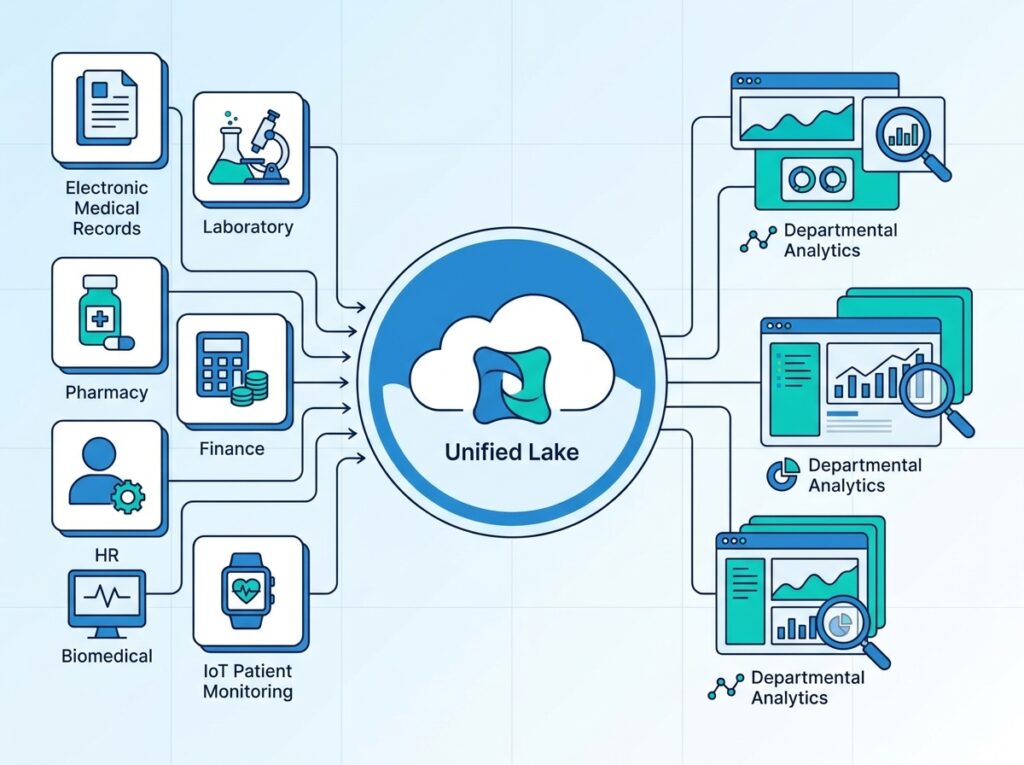
The network operates 45 hospitals with more than 4,000 medical devices, and its data spans Electronic Medical Records, laboratory systems, pharmacy, finance, HR, Biomedical Engineering, and IoT patient-monitoring sensors, a genuinely large and varied data estate.
Before OneLake
Data was scattered across SQL databases, Excel files, SharePoint, and a separate Azure Data Lake, with each department maintaining its own storage. The consequences were duplicate datasets, different data owners with different versions of the truth, and governance that was extremely difficult to enforce across so many disconnected stores. Answering an organization-wide question meant reconciling many inconsistent copies by hand.
After OneLake
With OneLake, everything is stored logically in one lake. Departments work in their own way, Lakehouses for engineering, warehouses for SQL analytics, Power BI for dashboards, Spark for large-scale processing, and Real-Time Intelligence for live monitoring, all without duplicating data. Existing stores are brought in through Shortcuts and Mirroring rather than migrated wholesale. Each team keeps its autonomy while sharing one governed foundation.
Why It Works and the Result
The architecture works because one copy of data, in an open format, under one governance model, removes the root cause of the old problems: duplication and fragmentation. When there is only one authoritative lake, there is only one version of the truth to govern, secure, and report on. Executives consequently gain a single source of truth, faster analytics because data no longer has to be reconciled, better compliance through centralized governance, lower storage costs from eliminating duplicates, and unified governance across every department. In a setting where accuracy and compliance carry real clinical and financial weight, that consolidation is genuinely valuable.
OneLake Best Practices
Plan your workspace structure deliberately. Because OneLake is one lake organized by workspaces, a clear, consistent workspace and naming design keeps the data estate discoverable as it grows. Decide this before scaling up.
Use Shortcuts and Mirroring instead of copying. Lean on virtualization to bring in existing data without duplication. This is the single biggest lever for controlling cost and avoiding inconsistency.
Establish governance and security early. Set up Entra ID-based access, workspace roles, the OneLake Catalog, and Purview integration from the start, rather than retrofitting them once sprawl has already begun.
Standardize on Delta tables and reuse them. Treat well-built OneLake tables as shared assets that many reports and workloads consume, rather than rebuilding similar data repeatedly.
Prefer Direct Lake for large reporting models. Where suitable, use Direct Lake to get fast, current reporting without maintaining heavy import refreshes.
Common Mistakes
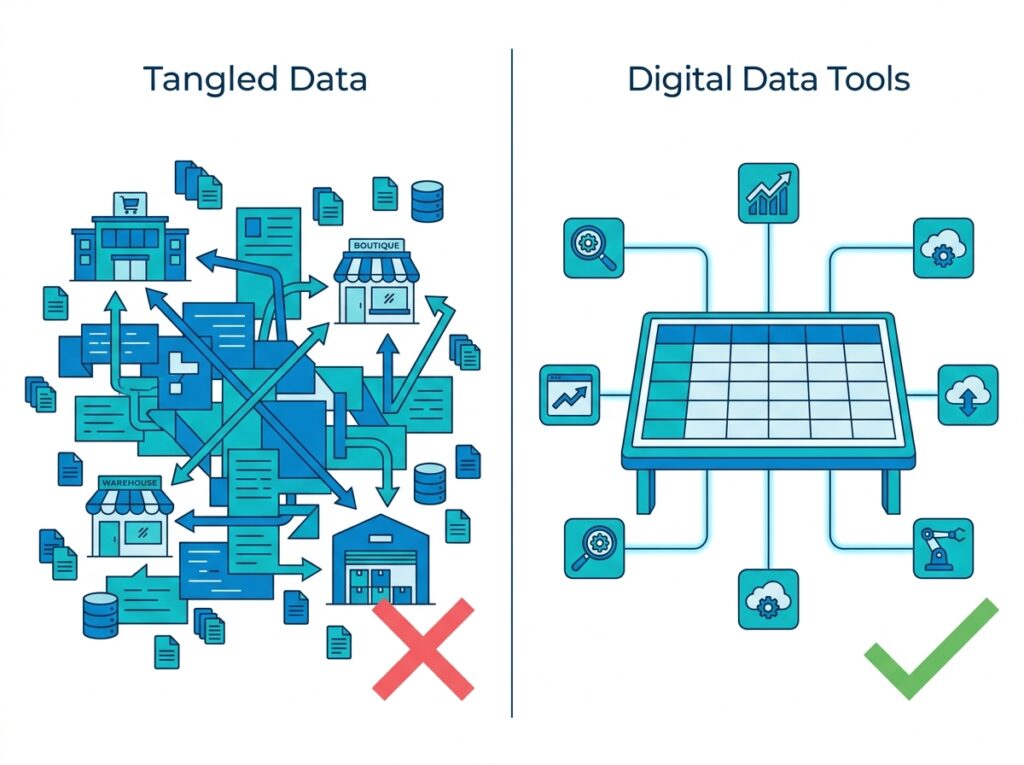
Recreating old silos inside OneLake. Copying data into many separate workspaces instead of sharing it through Shortcuts simply rebuilds the fragmentation OneLake exists to remove.
Ignoring governance until later. Because OneLake spans the whole tenant, ungoverned growth accumulates fast. Delaying catalog, lineage, and access discipline creates a mess that is hard to untangle.
Unnecessary data duplication. Building pipelines to copy data that a shortcut could reference wastes storage and reintroduces the inconsistency problem. Reach for virtualization first.
Treating OneLake as just storage. OneLake’s value is unification, one copy, one governance, native analytics. Using it as a plain file store misses the integration that makes Fabric worthwhile.
Poor workspace planning. Letting workspaces proliferate without a naming or ownership plan undermines discoverability. A little upfront structure prevents a lot of later confusion.
Conclusion
OneLake is the architectural core of Microsoft Fabric and the reason the platform can be genuinely unified. By giving each organization one logical lake, storing everything once in open Delta Parquet, and letting every workload read that one copy in place, OneLake eliminates the duplication, sprawl, and fragmented governance that have long burdened enterprise data teams. Shortcuts and Mirroring extend that unity to data outside Fabric, and Direct Lake turns it into fast, current reporting for Power BI.
For anyone learning Fabric, OneLake is the concept to understand first, because everything else, Lakehouses, warehouses, semantic models, real-time analytics, sits on top of it. The hospital example shows what becomes possible when a complex organization consolidates onto one governed lake: a single source of truth, faster analytics, stronger compliance, and lower cost. As you continue into topics like Direct Lake, the Lakehouse, and Fabric governance, keep OneLake in mind as the foundation they all depend on. If Fabric is the future of analytics, OneLake is what makes that future coherent.
Frequently Asked Questions
OneLake is the single, unified, logical data lake at the foundation of Microsoft Fabric. Exactly one OneLake is automatically provisioned per Fabric tenant, and it stores all of an organization’s Fabric data in open Delta Parquet format. Every workload, engineering, warehousing, data science, real-time, and Power BI, reads and writes the same data through it, which is why Microsoft calls it the OneDrive for data.
Microsoft created OneLake to end data sprawl. In most organizations, many separate data lakes had accumulated, each with duplicated data, its own permissions, and its own owners, making governance hard and analytics slow. OneLake replaces that with one lake for the whole organization, one copy of data shared across workloads, so duplication is avoided, governance is centralized, and data reuse becomes the default.
Yes. OneLake is a data lake, but a distinctive one: it is a single, tenant-wide, logical lake rather than one of many separate lakes. It is built on Azure Data Lake Storage Gen2 technology and stores data in open Delta Parquet format, while adding a unified namespace, automatic provisioning, and consistent governance across the whole organization.
Direct Lake is a Power BI connectivity mode unique to Fabric that reads Delta tables directly from OneLake. It combines the speed of Import mode with the freshness of DirectQuery: reports run fast while working on current data, with no scheduled import refresh to maintain. It is only possible because OneLake stores data in one open format that Power BI can read natively.
Shortcuts are pointers that make data stored elsewhere, in another OneLake location or external storage like Azure Data Lake Storage or Amazon S3, appear inside OneLake without physically copying it. This data virtualization lets teams reference and reuse data in place, eliminating needless duplication and the cost and inconsistency that come with it.
OneLake itself is part of Microsoft Fabric rather than a separately priced product, and storage in OneLake is billed as part of Fabric. Using OneLake therefore requires Fabric capacity, though a free Fabric trial is generally available to explore the platform. Because pricing and storage billing details change, confirm current specifics with Microsoft’s official documentation.
Not exactly. OneLake is built on Azure Data Lake Storage Gen2 technology and is compatible with its APIs, so it is more of an evolution than a replacement. ADLS Gen2 is general-purpose storage you provision and manage yourself; OneLake is a single, tenant-wide lake with native Fabric integration, Direct Lake, Shortcuts, and unified governance layered on top. Organizations can also connect existing ADLS Gen2 data into OneLake using Shortcuts.
OneLake security is built on Microsoft Entra ID, the same enterprise identity platform used across Microsoft’s cloud, so access is governed by the organization’s existing identities and policies. Access is controlled through workspace roles and item-level permissions, with finer-grained controls for sensitive data. Because everything sits in one governed lake under one identity system, security is applied consistently rather than reinvented per tool.
Yes, and this is one of its main strengths. Each department can work in its own workspace with its own tools, while sharing data across the organization through the one lake and through Shortcuts, without copying it. This lets teams keep their autonomy while everyone builds on the same governed, single source of truth.
Yes. Healthcare data is typically scattered across many systems, medical records, lab, pharmacy, finance, HR, biomedical, and IoT monitoring, which makes the fragmentation problem acute. OneLake’s single governed lake unifies this data without duplication, its Entra ID-based security supports strict access control, and its centralized governance and Purview integration help with the compliance obligations healthcare requires.